-
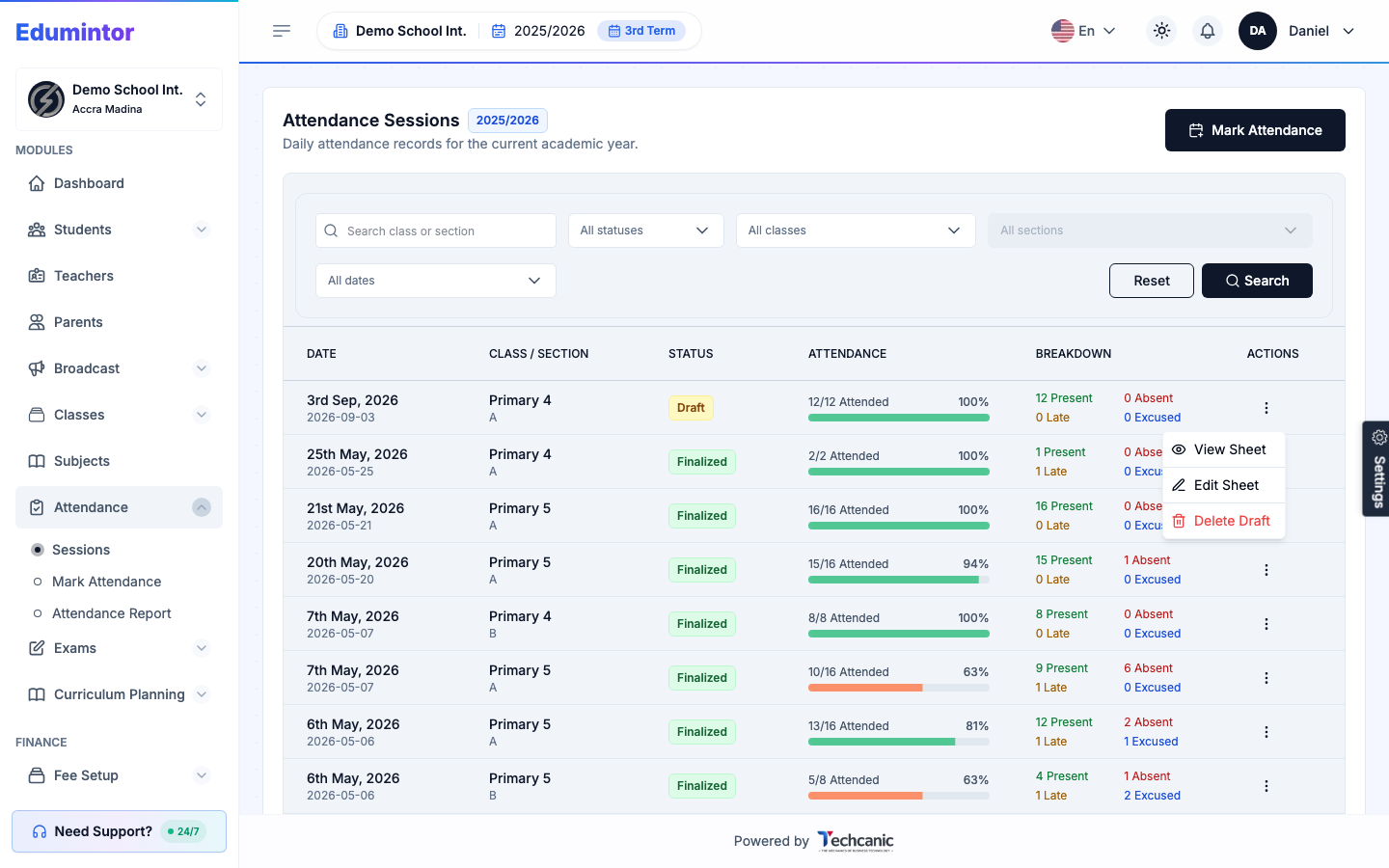
Go to Attendance → Sessions.
-
Find the session in the list, then click the ⋮ menu at the end of its row.
-
Choose View Sheet.
-
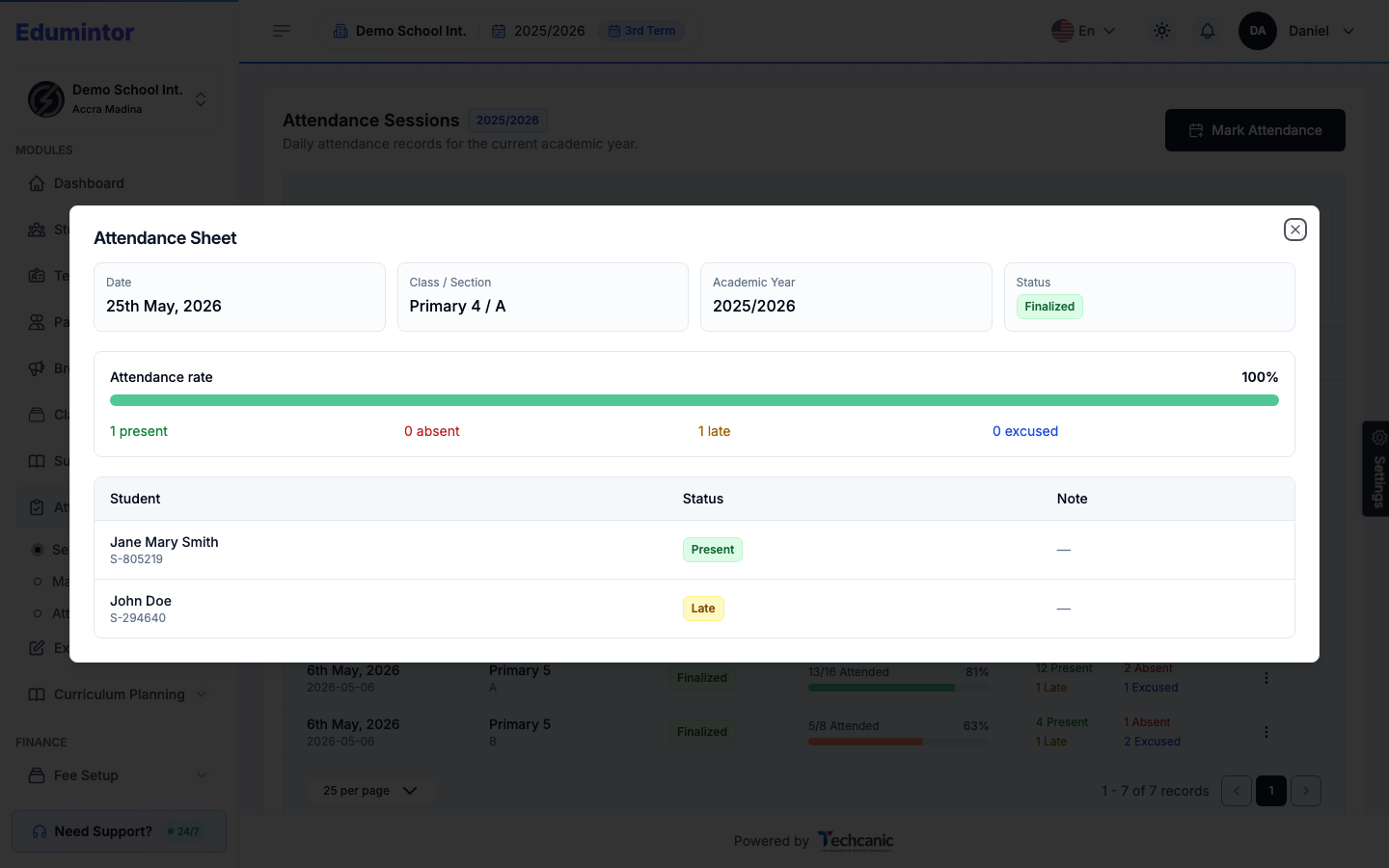
The Attendance Sheet shows the date, class/section, attendance rate, and each student's recorded status.
💡 Tip — A finalized session's row menu only shows View Sheet. Edit Sheet and Delete Draft only appear while the session is still a draft.