-
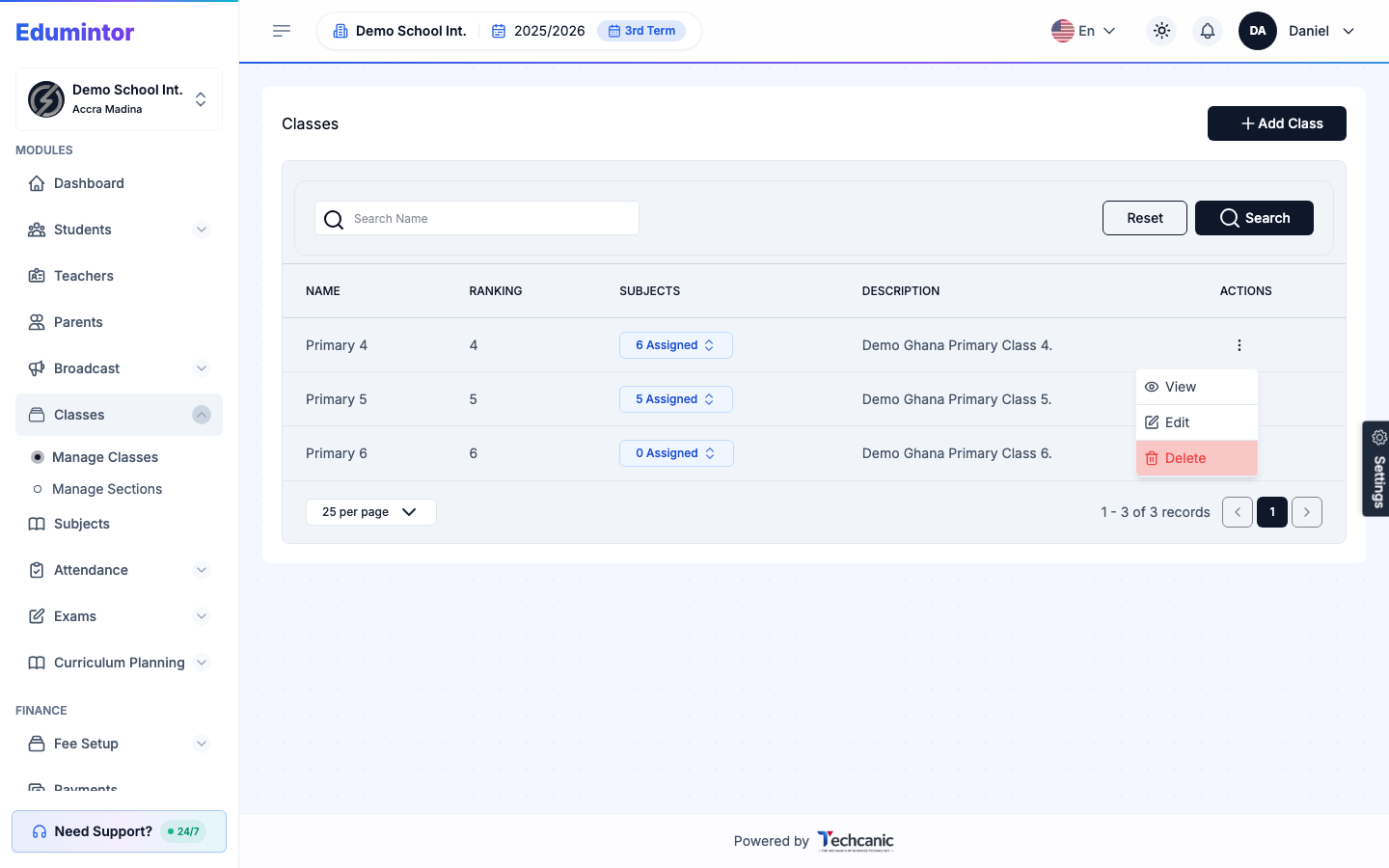
Go to Classes → Manage Classes.
-
Find the class in the list, then click the ⋮ menu at the end of its row.
-
Choose Edit.
-
Update the class name, ranking, description, or assigned subjects.
-
Click Update Class to save.
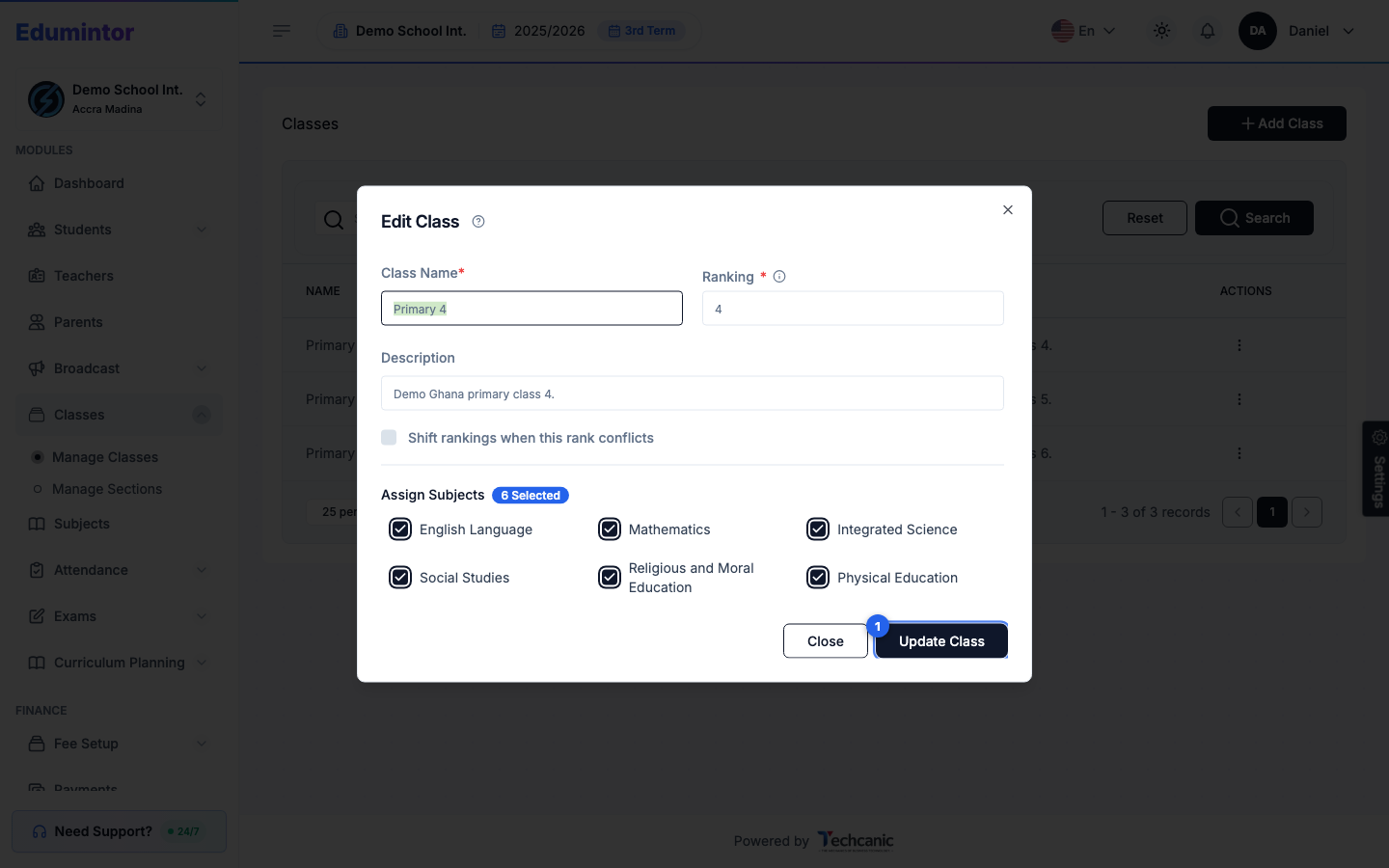
💡 Tip — If changing the ranking would conflict with another class's rank, check Shift rankings when this rank conflicts to have Edumintor reorder the others automatically.