-
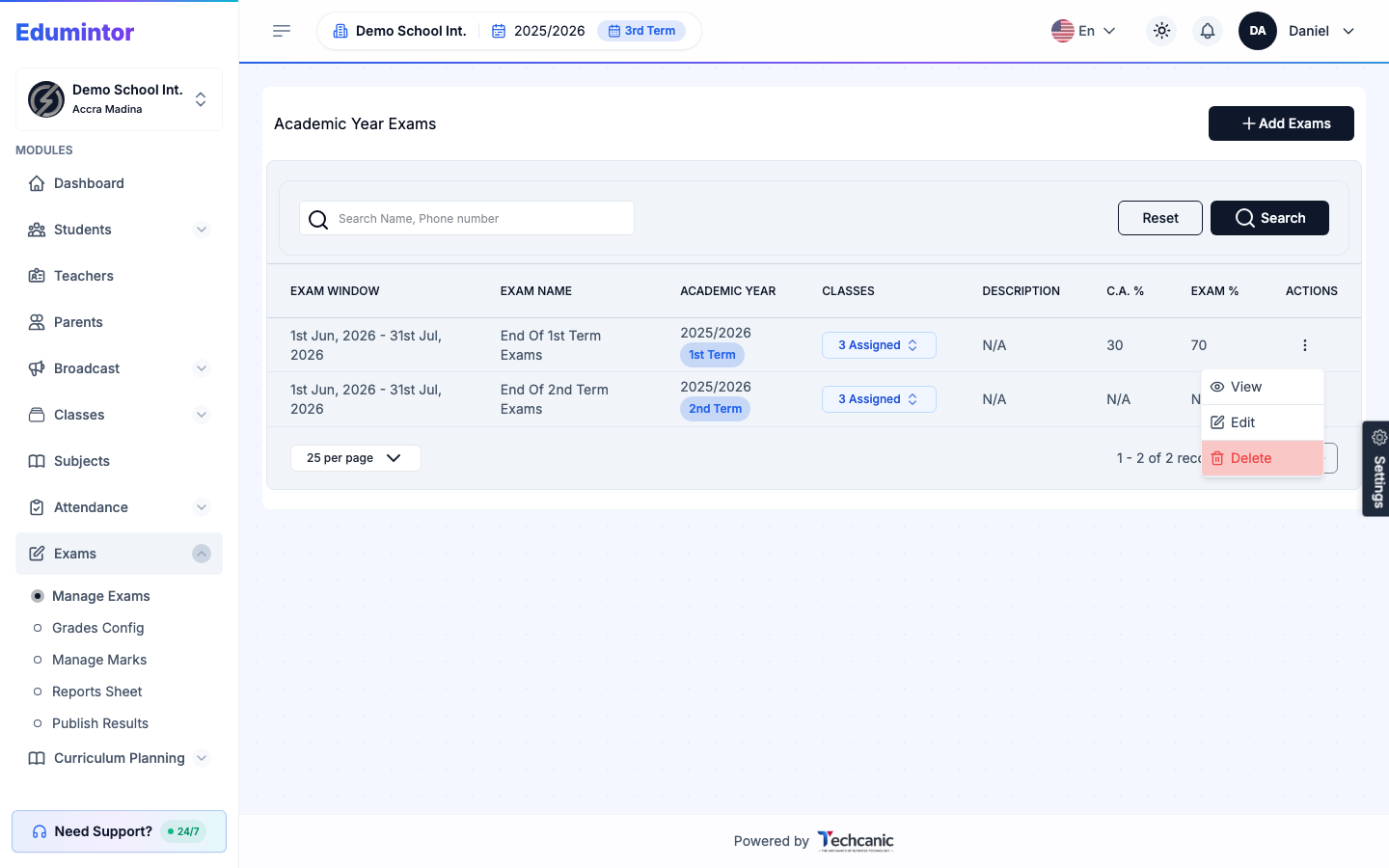
Go to Exams → Manage Exams.
-
Find the exam in the list, then click the ⋮ menu at the end of its row.
-
Choose Delete.
-
In the confirmation, type the exam name exactly as shown (for example End of 2nd Term Exams) — the Delete button turns on once it matches — then click Delete. This can't be undone.
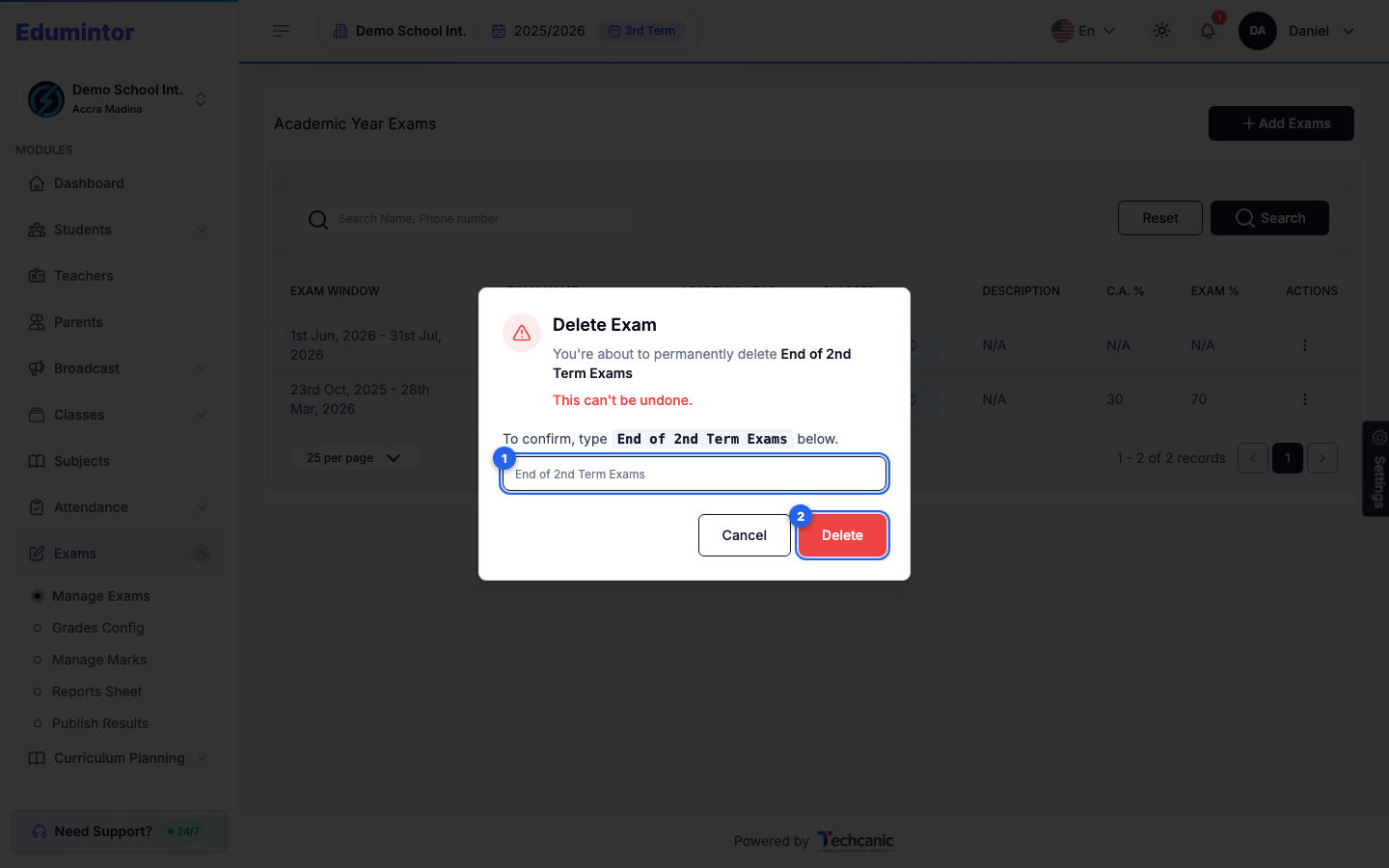
⚠️ Note — Deleting an exam is hard to reverse. If marks have already been entered against it, make sure that's intentional before deleting.