-
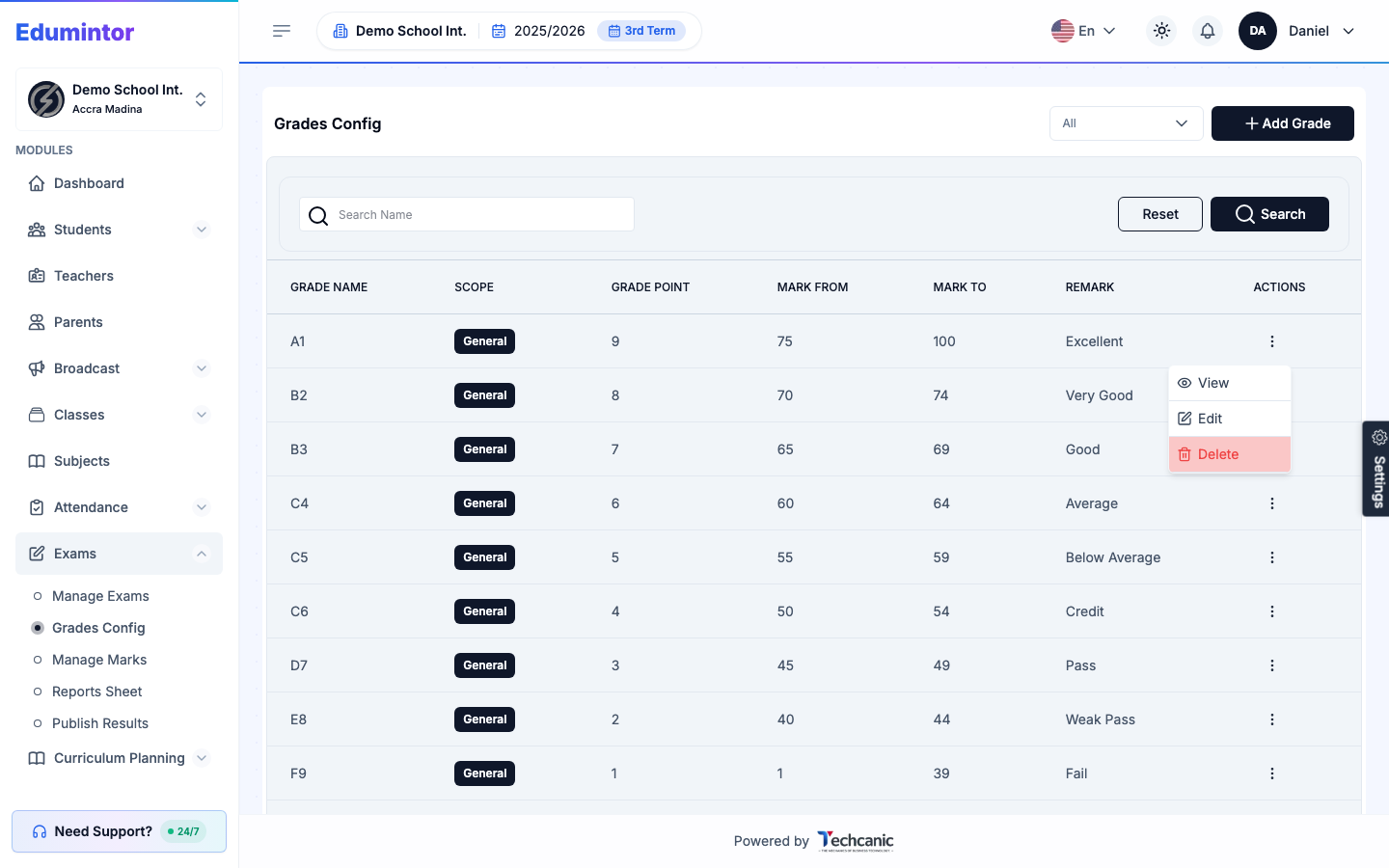
Go to Exams → Grades Config.
-
Find the grade in the list, then click the ⋮ menu at the end of its row.
-
Choose Edit.
-
Update the grade name, grade point, mark range, or remark.
-
Click Update Grade to save.
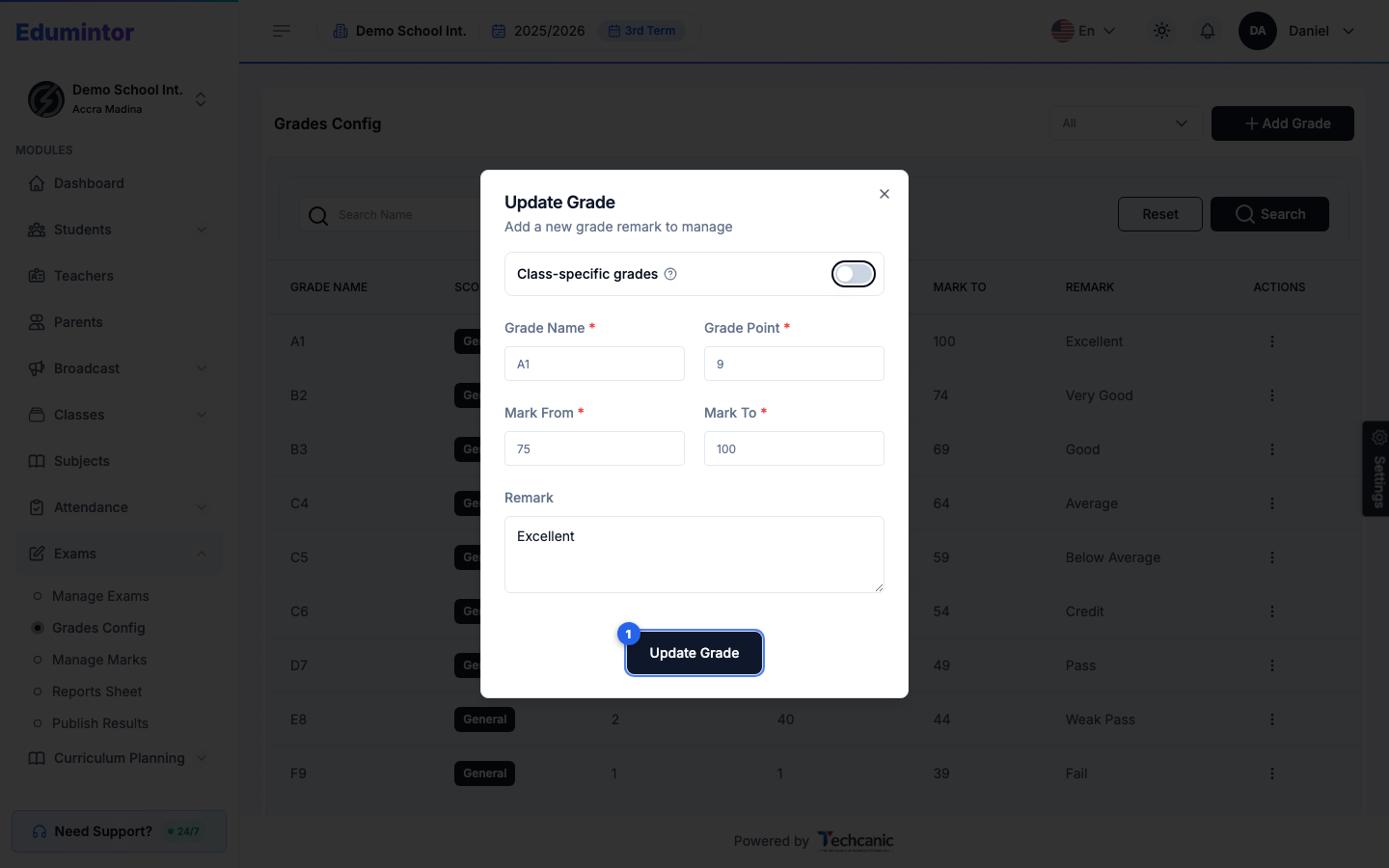
💡 Tip — Toggle Class-specific grades on if this boundary should only apply to a particular class, instead of the school-wide (General) scale.