-
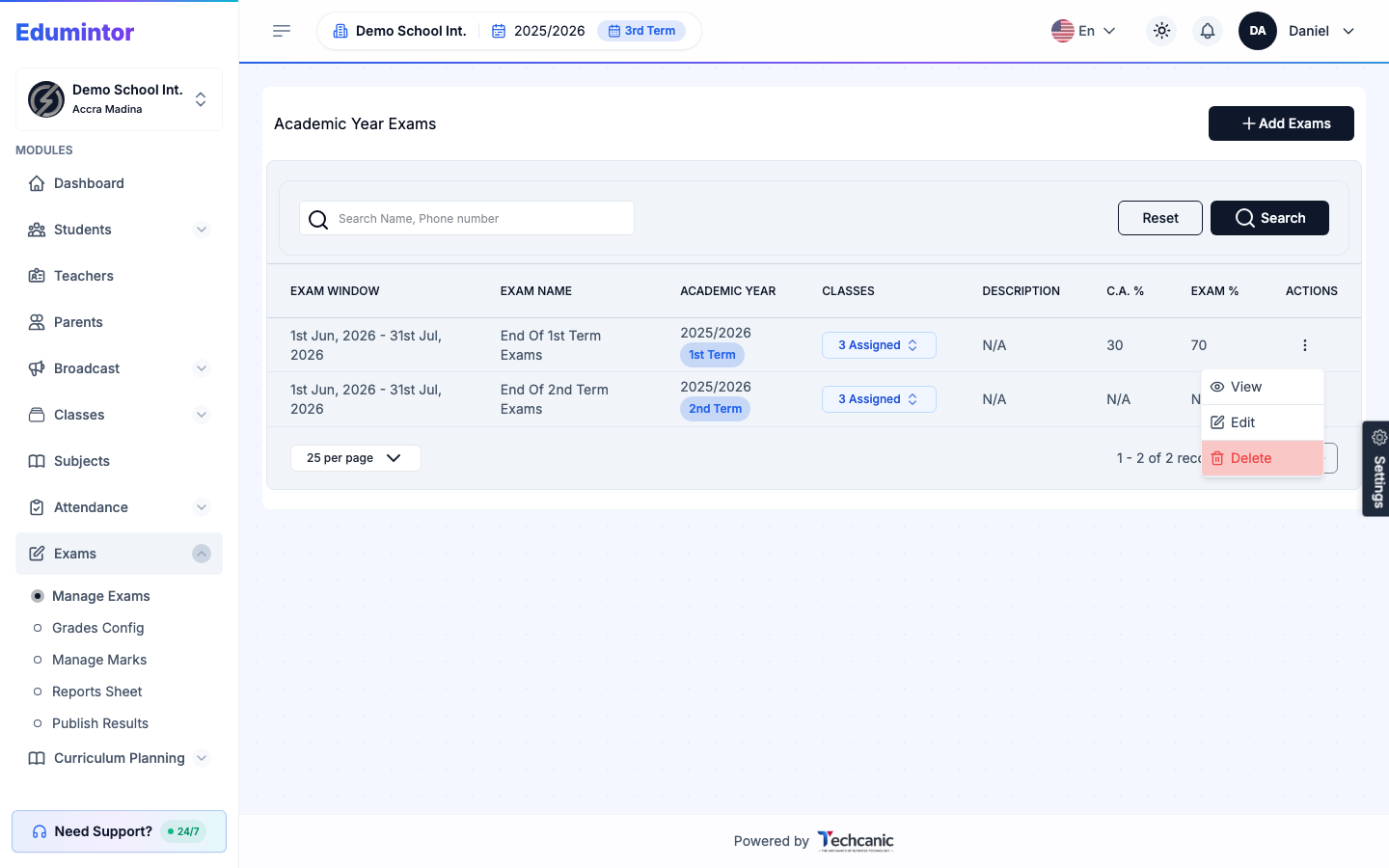
Go to Exams → Manage Exams.
-
Find the exam in the list, then click the ⋮ menu at the end of its row.
-
Choose Edit.
-
Update the academic term, exam name, classes taking the exam, dates, or the Continuous Assessment / Exam percentage split.
-
Click Update Exam to save.
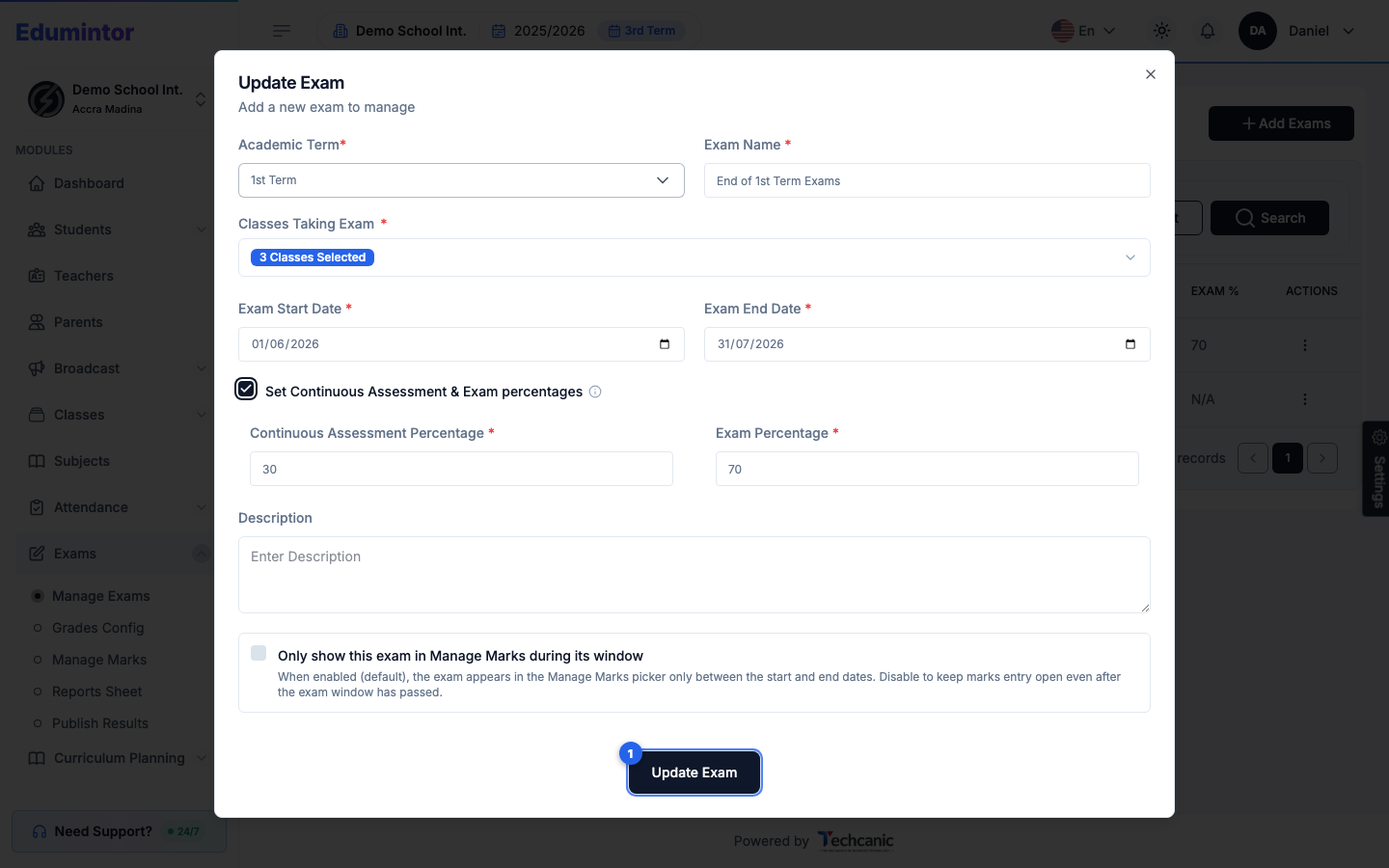
💡 Tip — Uncheck Only show this exam in Manage Marks during its window if you need to keep marks entry open past the exam's end date.