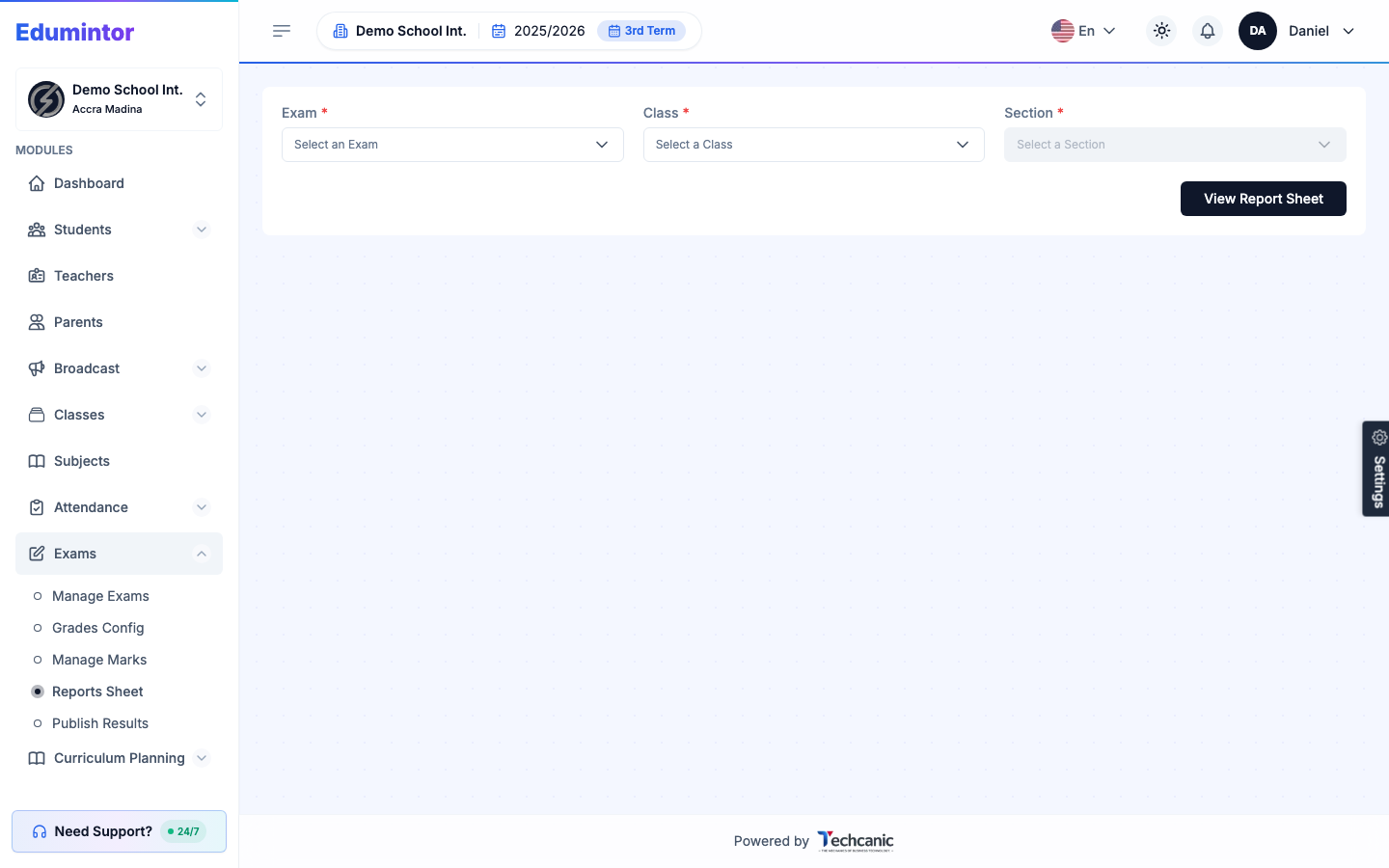
- Go to Exams → Reports Sheet.
- Select an Exam, Class, and Section.
- Click View Report Sheet to generate the printable report sheet/report card.
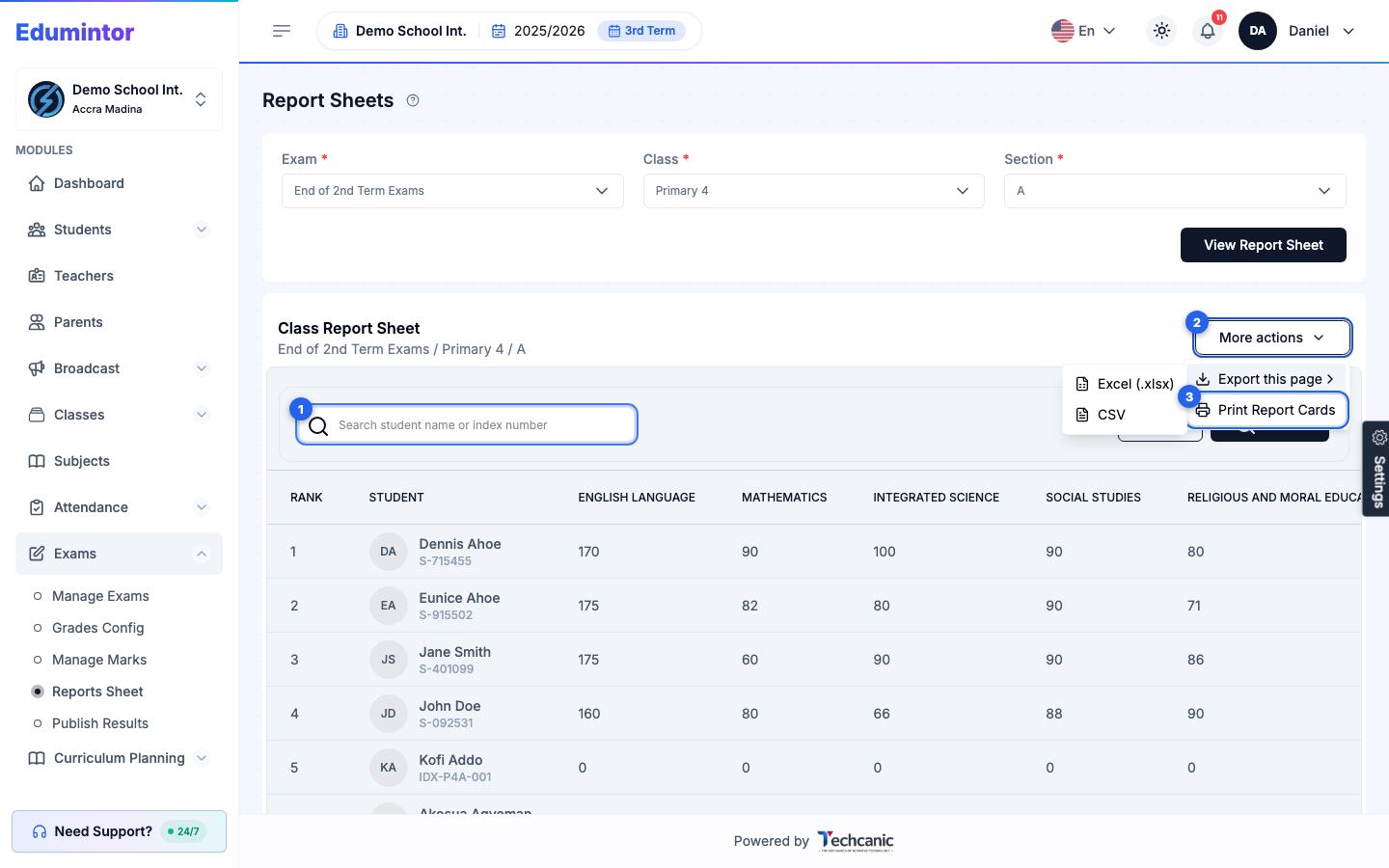
To search, export, or print report cards from the report sheet:
The report sheet lists students by rank, 25 per page. Use the per page control and page numbers under the table to move through a large section. Ranks always reflect the whole section, so a student keeps their real rank on any page or in search results.
- To find a student, type their name or index number in the search box and click Search. Click Reset to clear the search and show every student again.
- Click More actions.
- Choose Export this page → Excel (.xlsx) or CSV to download the students currently shown, or Print Report Cards to generate a combined PDF of their full term report cards.
💡 Tip — Export this page and Print Report Cards only include the students on the current page, after any search. To export or print a whole section in one go, clear the search and choose a per page size large enough to show every student first.
To publish results so parents and students can see them:
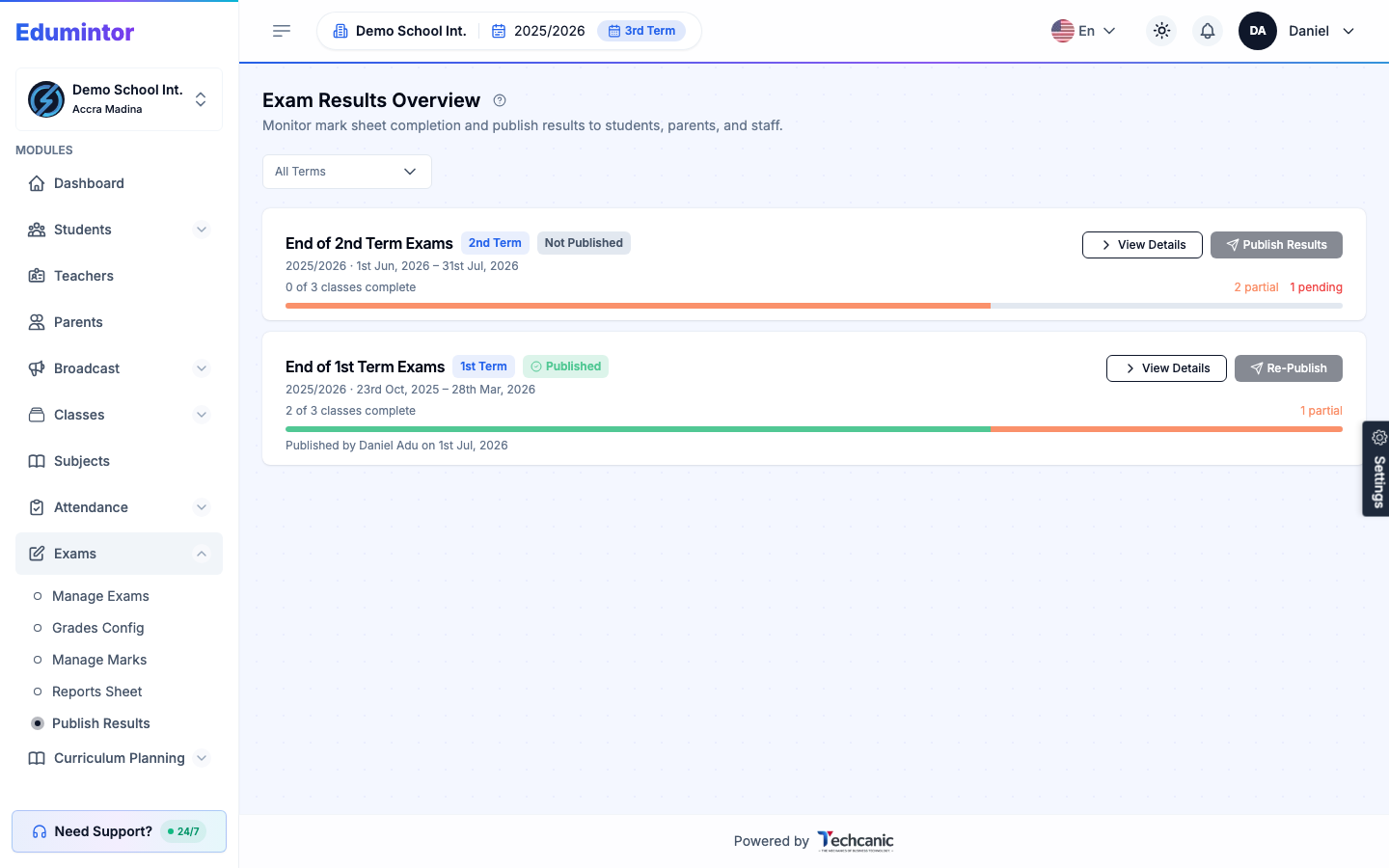
- Go to Exams → Publish Results.
- The list shows exams in the academic year you're currently working in (switch years from the sidebar if needed). Use the Term filter to narrow it down.
- Each exam shows its mark-sheet completion progress (e.g. "2 of 3 classes complete") and a status of Published or Not Published.
- Once every class shows as complete, click Publish Results.
- If you need to update results after publishing (e.g. a correction), click Re-Publish.
⚠️ Note — Results can be held back until formally published, so admins control exactly when grades become visible to parents/students.