Edumintor doesn't have public self-serve signup or listed pricing — every school's plan is negotiated individually.
-
Go to the pricing section on the Edumintor website and click Book a demo, or go directly to the registration request form.
-
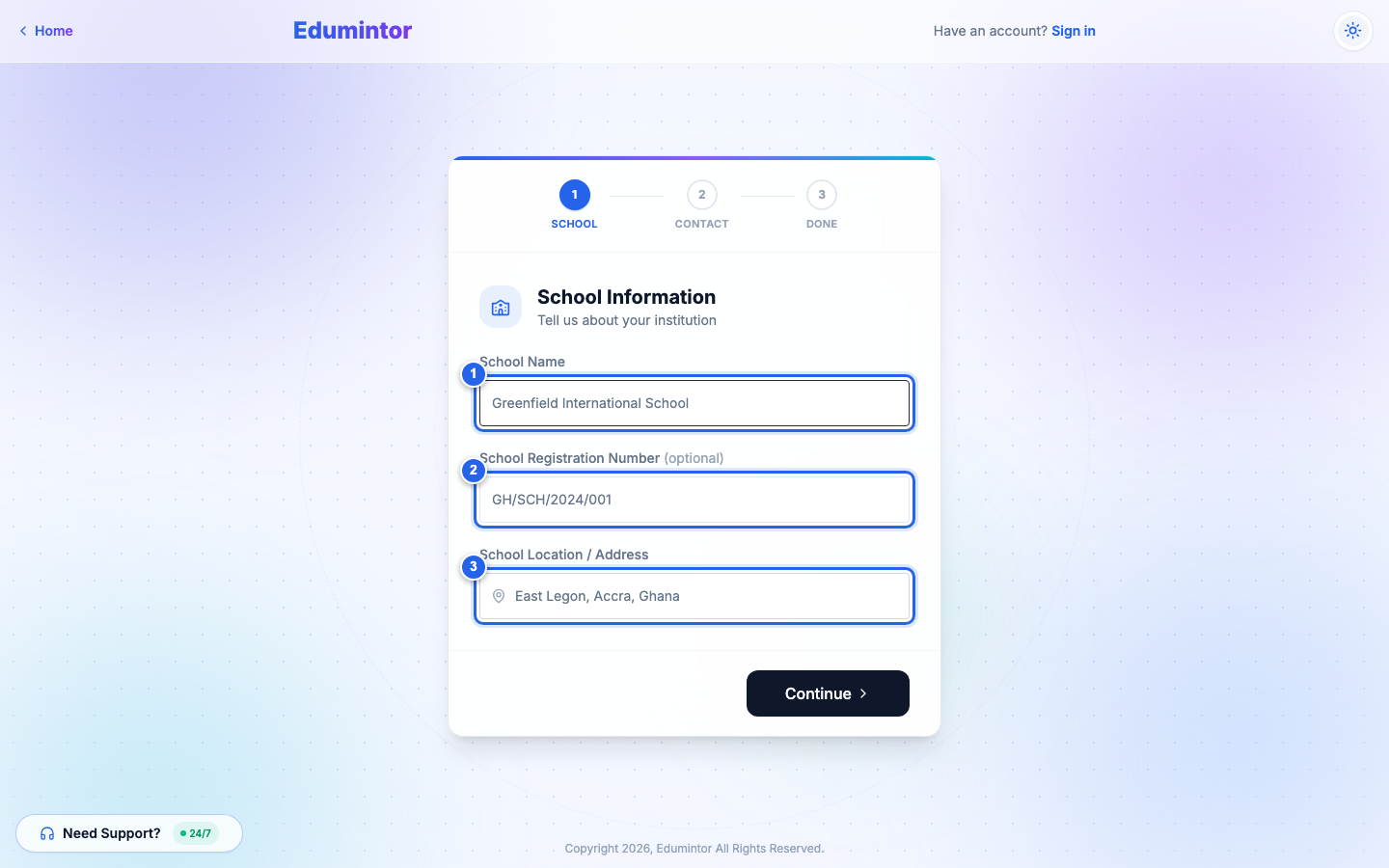
Step 1 — School Information: enter your school's name, registration number (optional), and address.
-
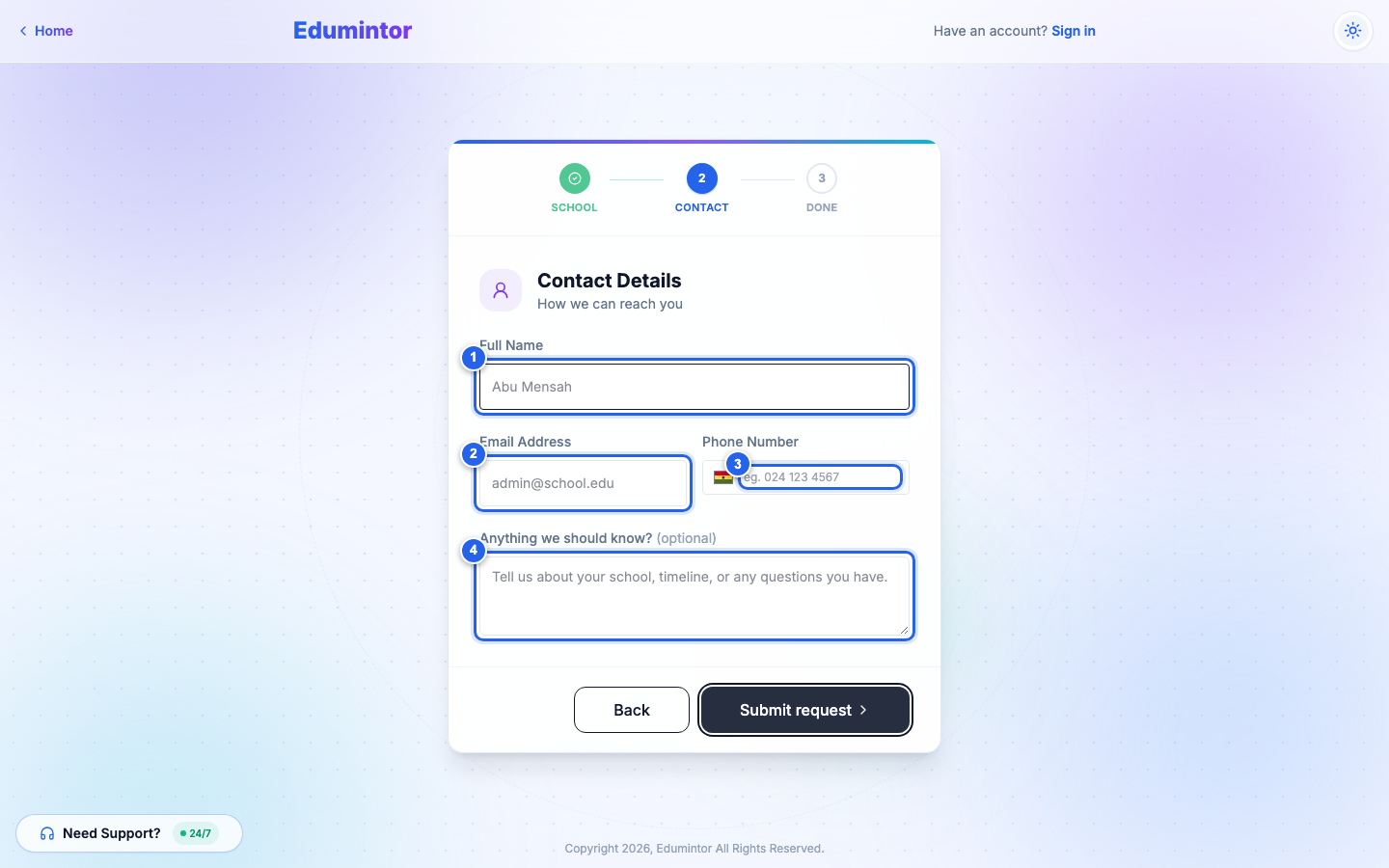
Step 2 — Contact Information: enter your full name, email, phone number, and an approximate student count.
-
Submit. You'll see a confirmation that the Edumintor team will reach out within one business day.
-
The Edumintor team contacts you to agree on pricing (a per-student rate) and a seat cap, then provisions your school.
-
You (the Admin) receive a verification email. Verify it, sign in, and your school is live.
⚠️ Note — There is no self-checkout "Start Free Plan" option. Onboarding is sales-assisted because pricing varies per school.