-
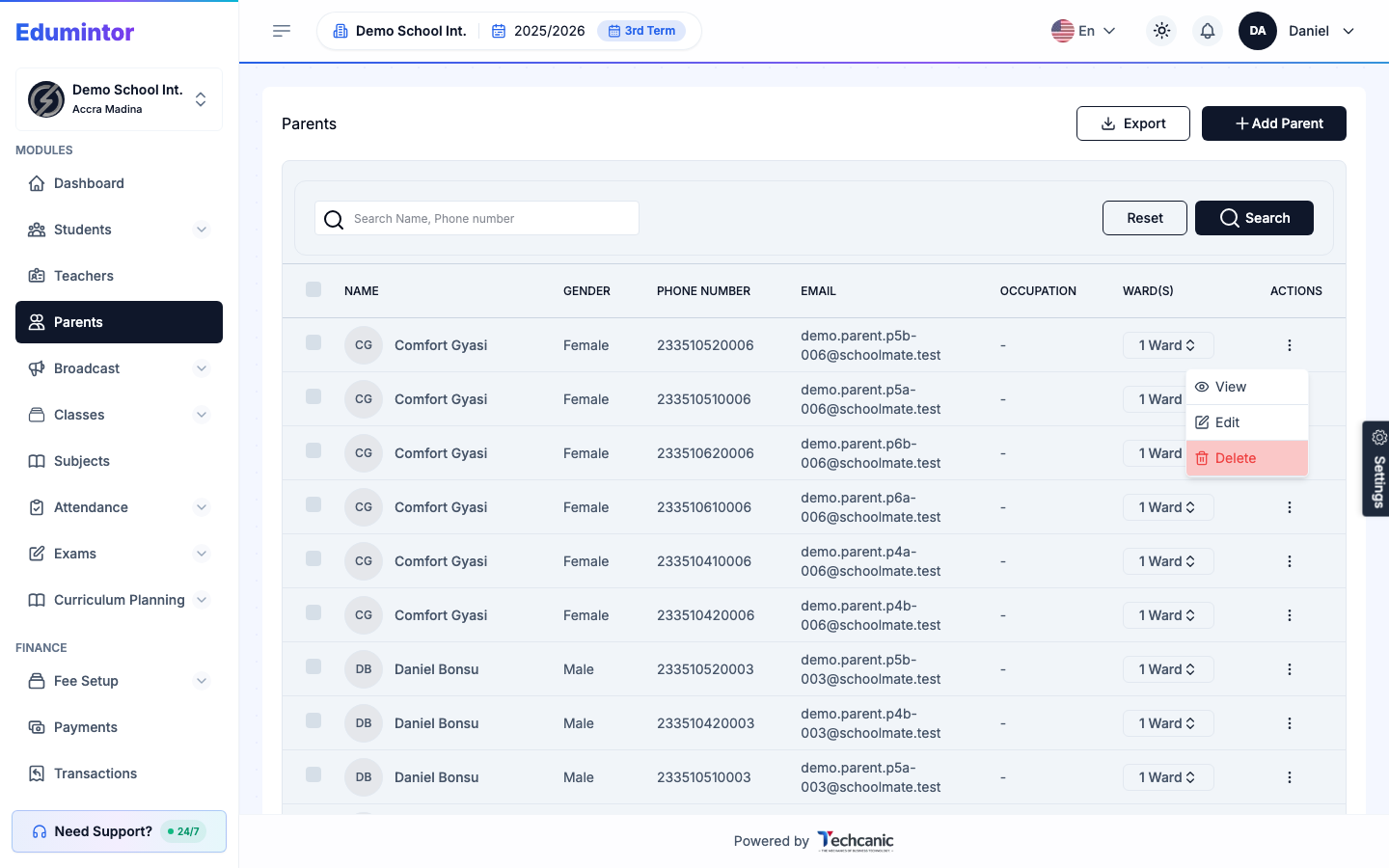
Go to Parents.
-
Find the parent in the list, then click the ⋮ menu at the end of their row.
-
Choose Edit.
-
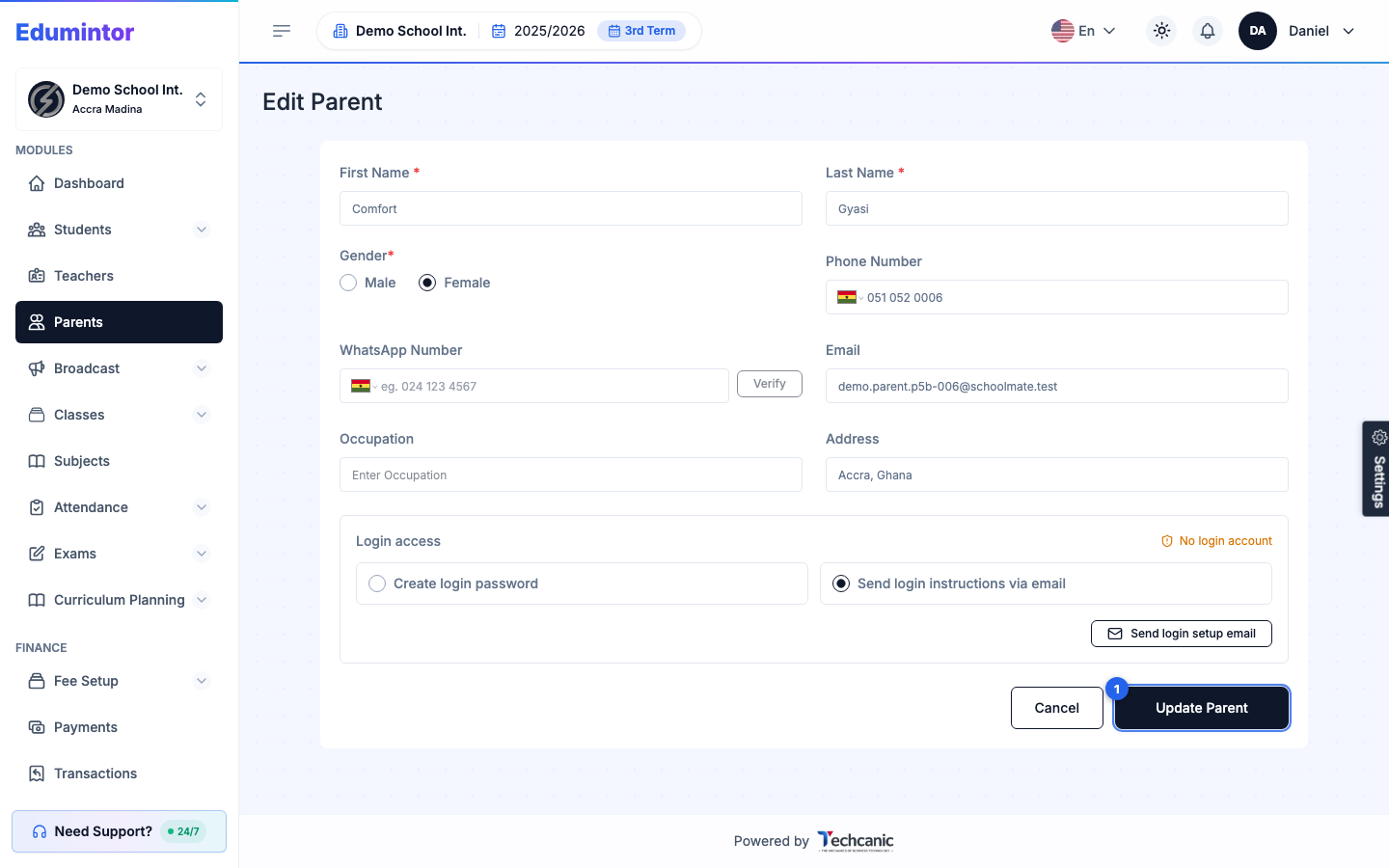
Update any of the parent's details — personal info, contact info, or occupation.
-
Click Update Parent to save.
Editing a Parent
Last updated 2026-09-03
For: Admin