-
Go to User Management → User Accounts.
-
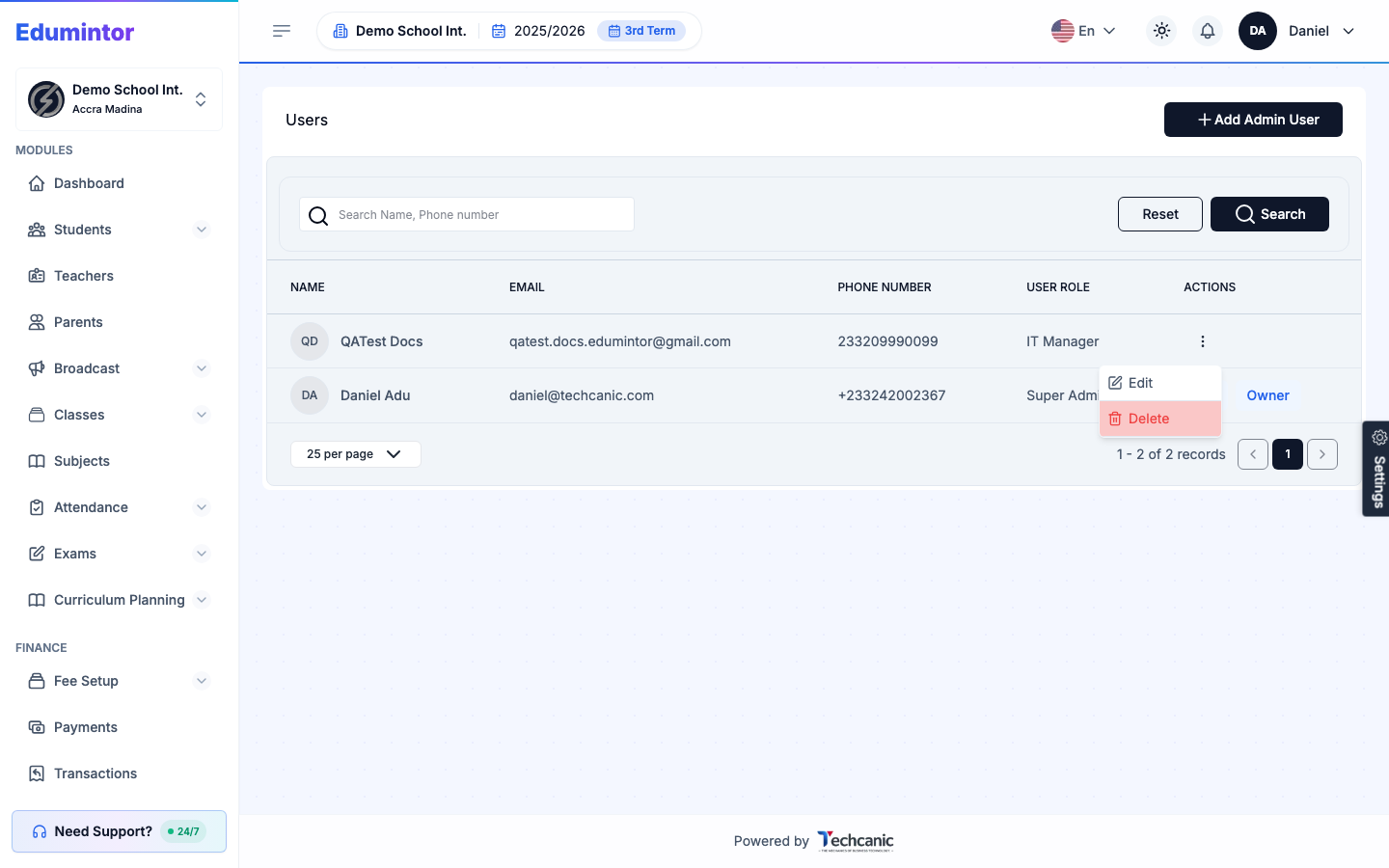
Find the user in the list, then click the ⋮ menu at the end of their row.
-
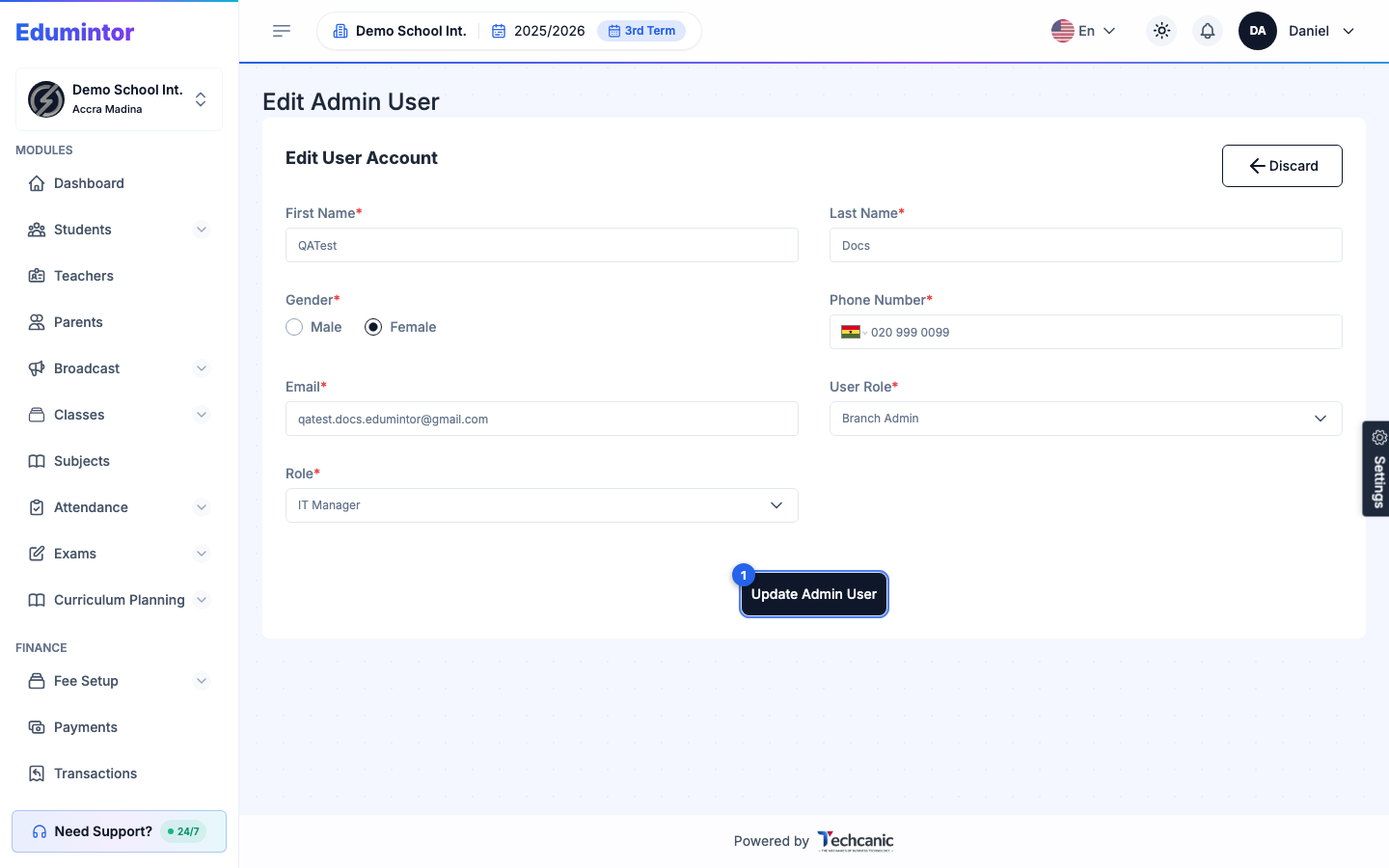
Choose Edit to update their details, User Role (Super Admin/Branch Admin), or assigned custom role, then click Update Admin User.
-
Choose Delete to remove their account. In the confirmation, type the user's name exactly as shown — the Delete button turns on once it matches — then click Delete. This can't be undone.
⚠️ Note — You can't edit or delete your own account from this list — it shows ME instead of an actions menu.