Edumintor supports multiple branches under one organization — for example, a Junior campus and a Senior campus. Students, classes, teachers, fee structures, and attendance are all managed per branch.
-
Go to App Settings → Branches.
-
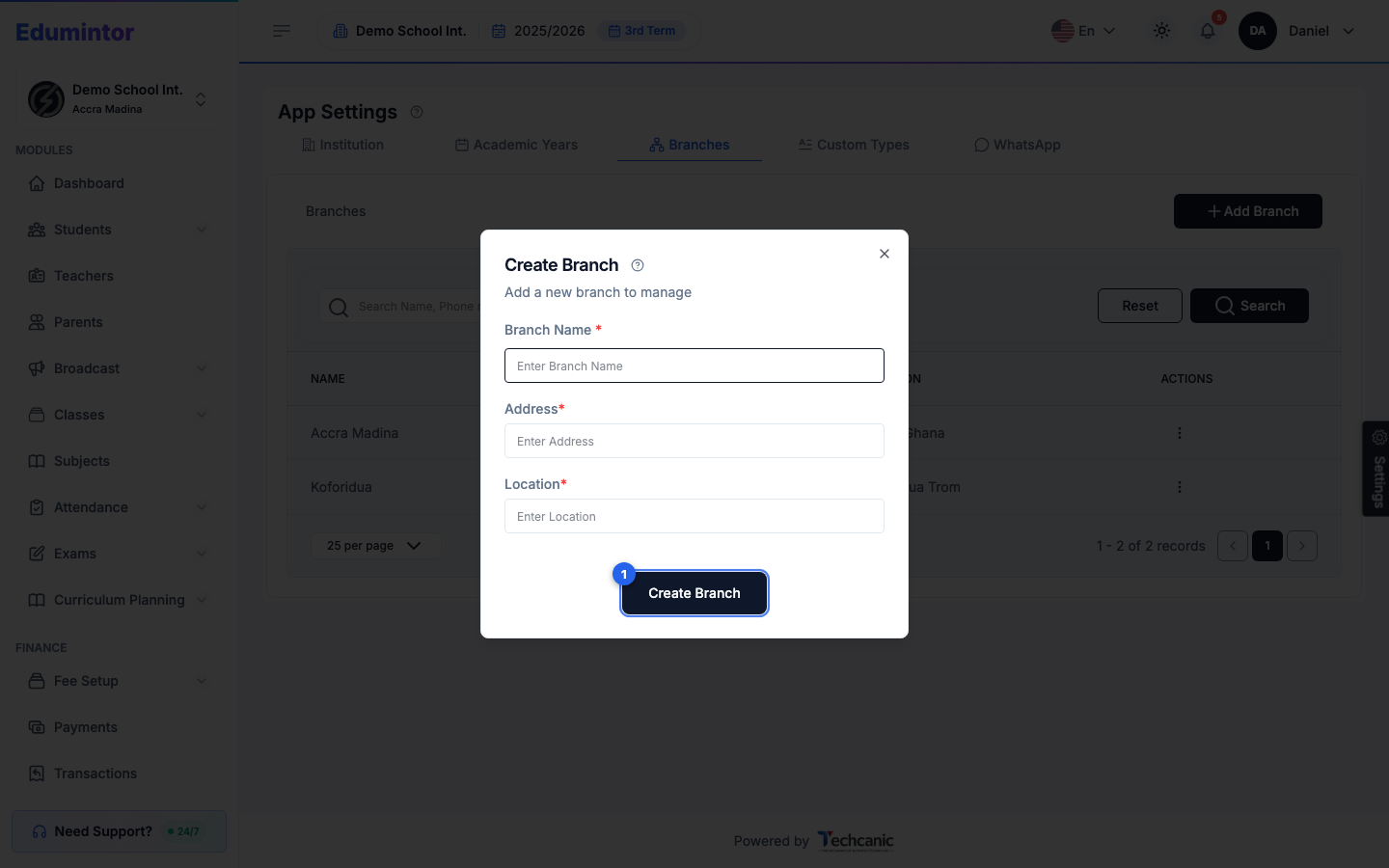
Click + Add Branch.
-
Enter the Branch Name, Address, and Location.
-
Click Create Branch.
💡 Tip — To switch which branch you're viewing, use the branch switcher in the account menu — this is only available to Super Admins; Branch Admins are locked to their assigned branch.
⚠️ Note — The Branches tab only appears if branch switching is enabled for your organization.