-
Go to App Settings → Branches.
-
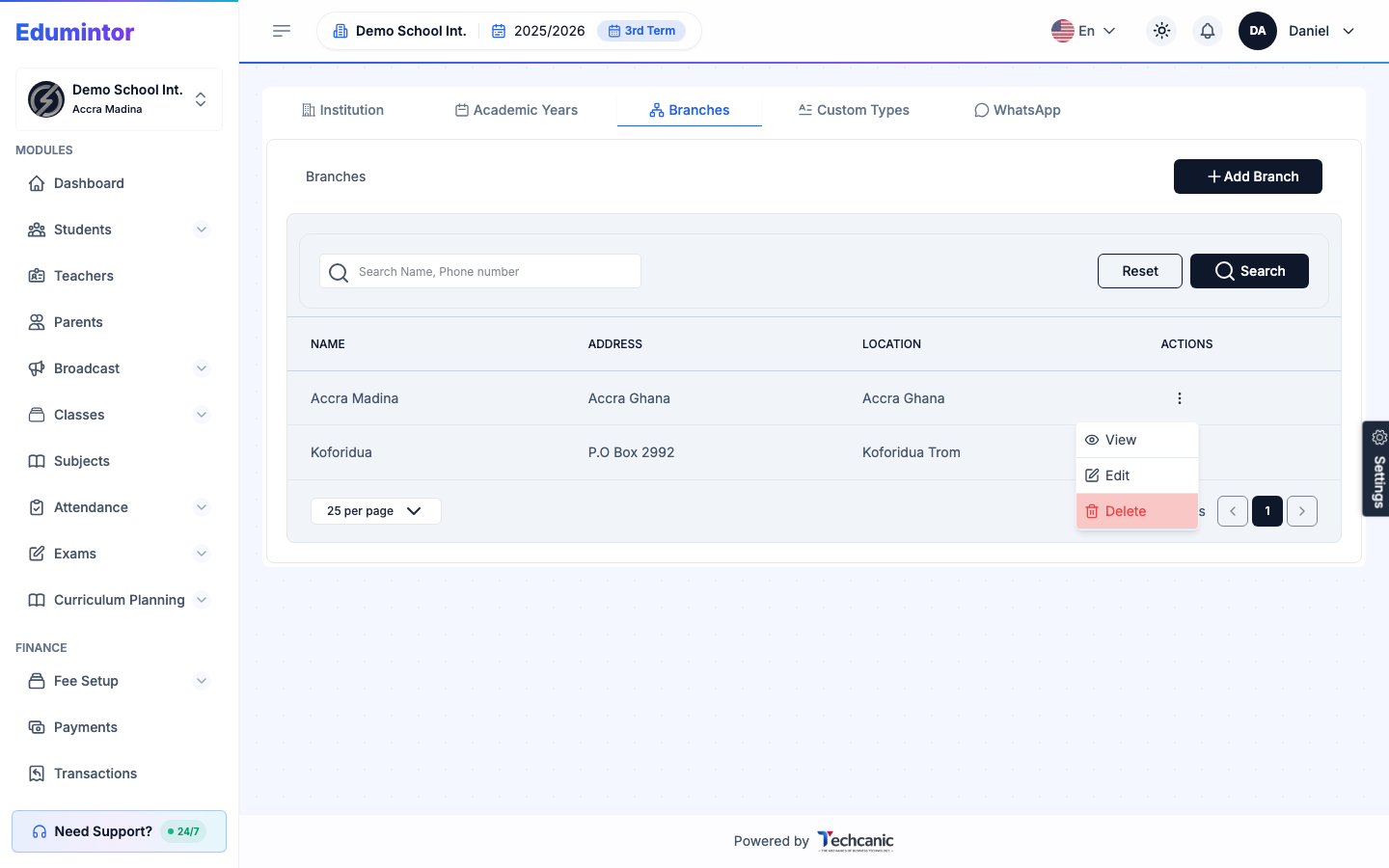
Find the branch in the list, then click the ⋮ menu at the end of its row.
-
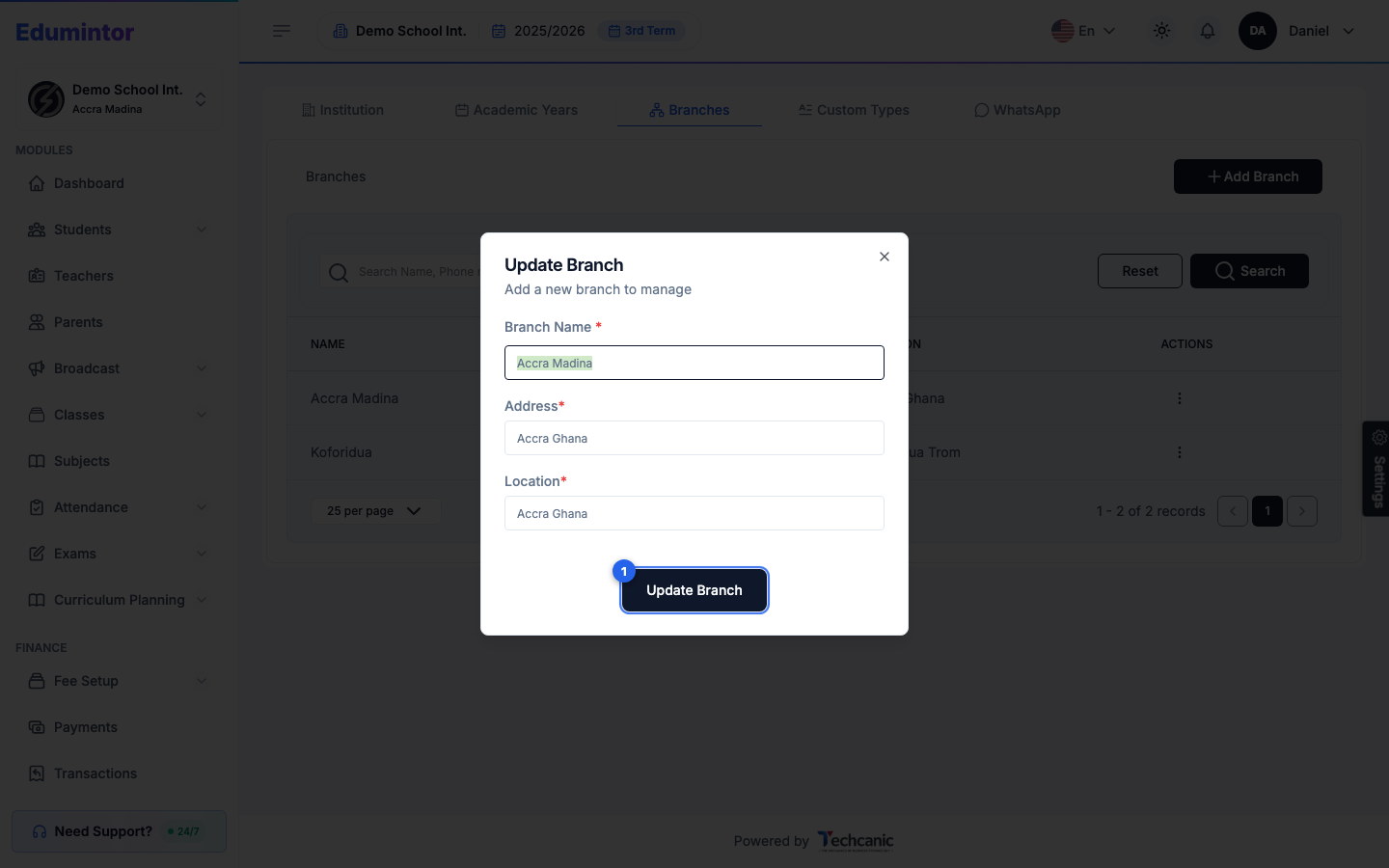
Choose Edit to update its name, address, or location, then click Update Branch.
-
Choose Delete to remove it. In the confirmation, type the branch's name exactly as shown (for example Accra Madina) — the Delete button turns on once it matches — then click Delete. This can't be undone.
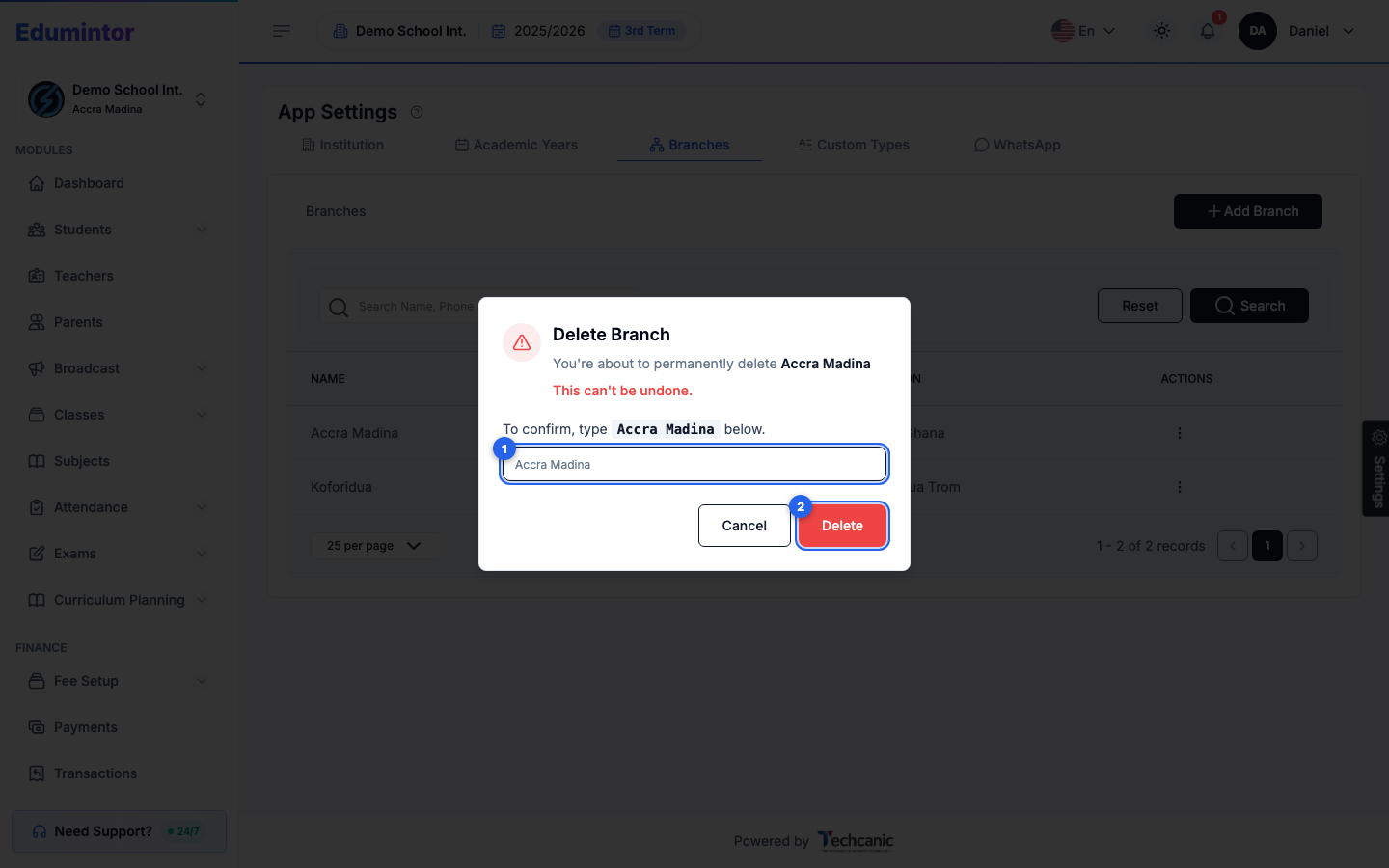
⚠️ Note — Only delete a branch that has no students, staff, or records tied to it. Move that data to another branch first if needed.