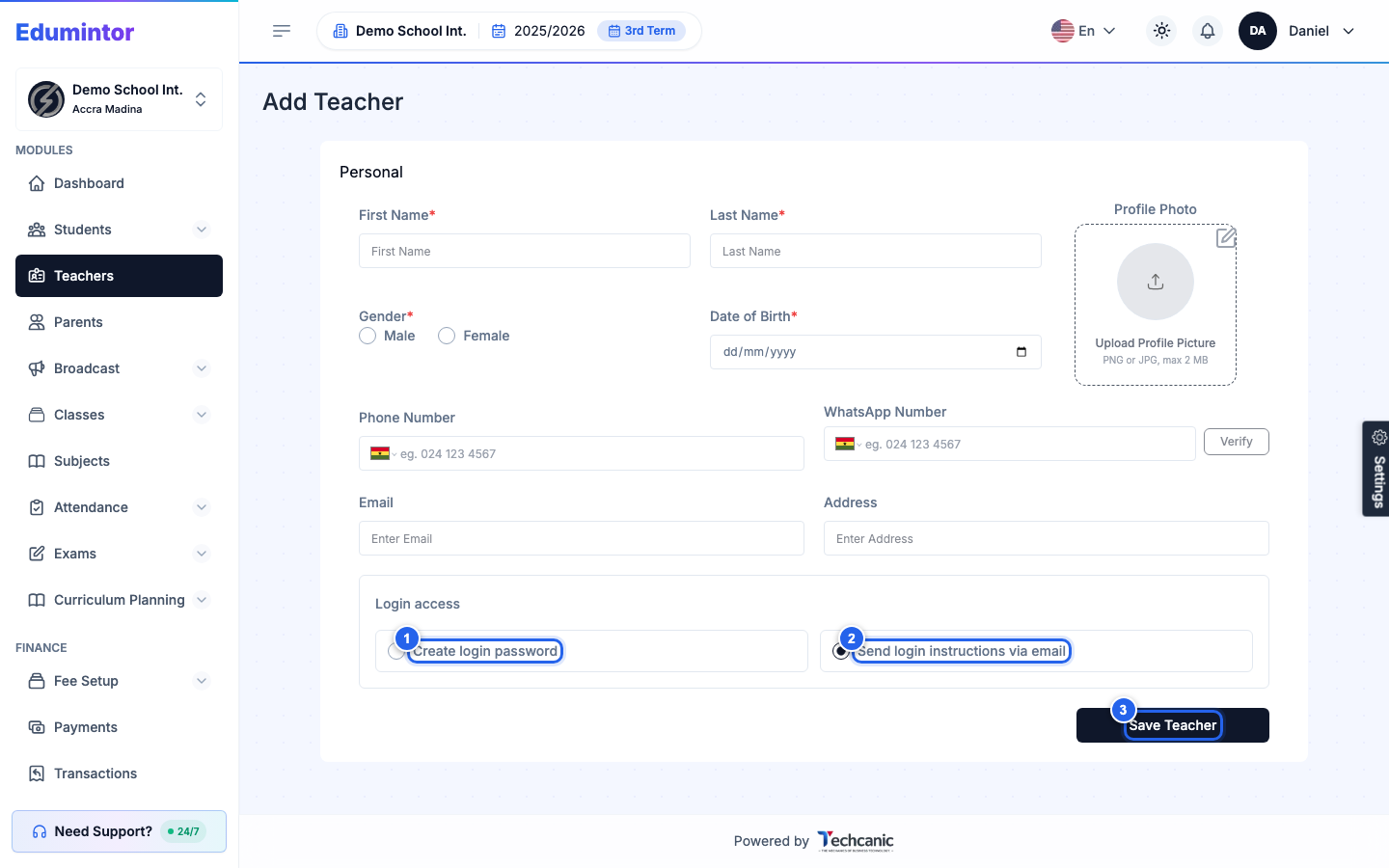
- Go to Teachers → Add Teacher (or Add Teacher (Bulk) for many at once).
- Fill in the teacher's personal details.
- Under Login access, choose Create login password or Send login instructions via email.
- Click Save Teacher.
Creating a teacher record automatically creates their staff login (if one doesn't already exist) and assigns the default Teacher role unless you choose a different one.