If your school has the Attendance Capture autotrigger set up, parents get notified automatically when a session is finalized.
-
Go to Automations → Attendance Triggers.
-
Click + New trigger (or Action on an existing trigger to edit it).
-
Give it a Name.
-
Build the rule using the inline sentence: choose which classes it applies to, which attendance statuses should fire it (e.g. Absent, Late), which channel to send on (WhatsApp or SMS), and which template to use.
-
Click Save.
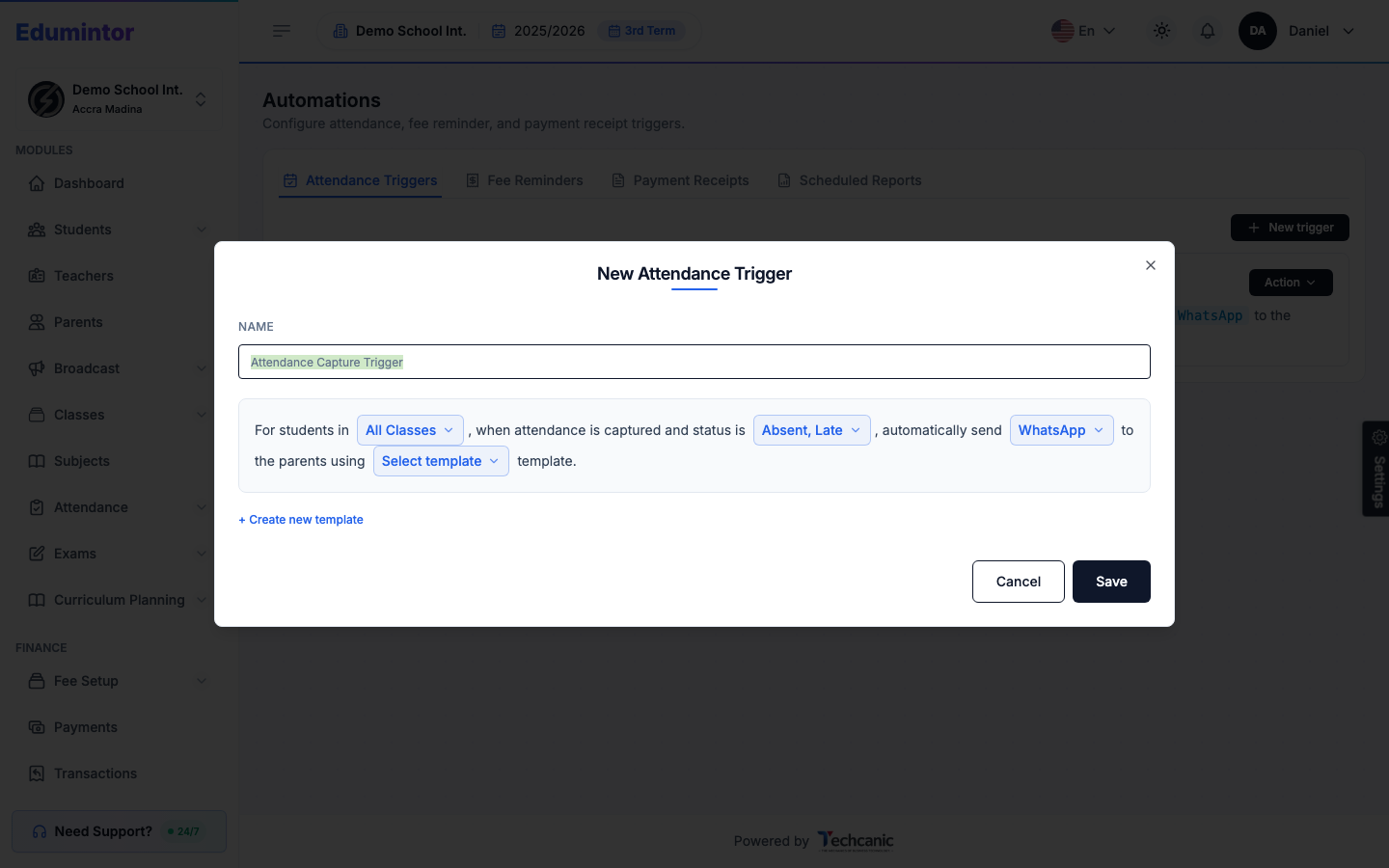
Once active, matching students' guardians (and/or the students themselves, depending on your settings) are automatically messaged when a session is finalized.
This reuses the same broadcast history and prepaid-unit pool as manual broadcasts — see Broadcasts & Automations.