-
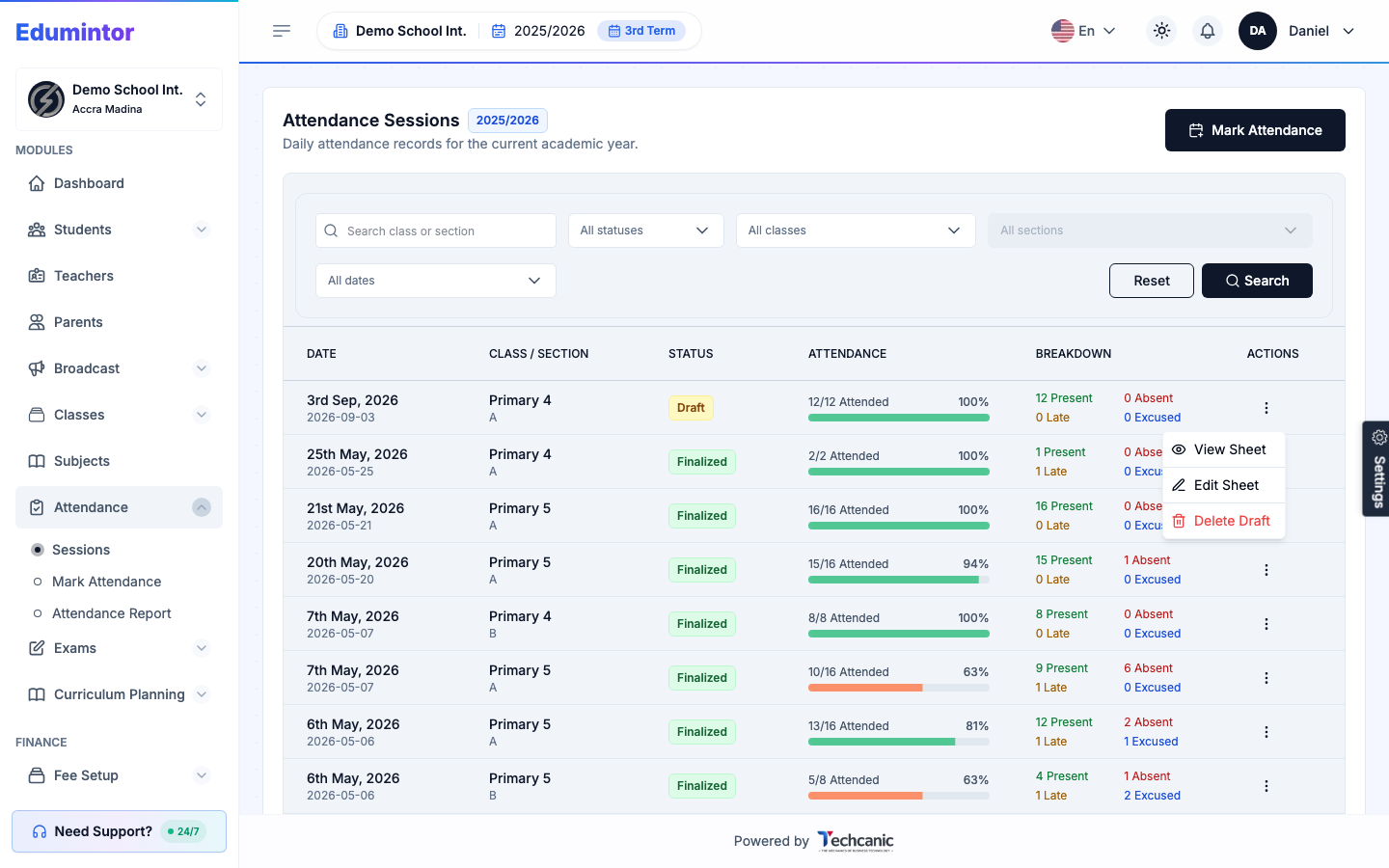
Go to Attendance → Sessions.
-
Find the Draft session in the list, then click the ⋮ menu at the end of its row.
-
Choose Edit Sheet.
-
This takes you back to the same marking sheet used in Marking Attendance — adjust any student's status, then Save Draft again or Finalize.
⚠️ Note — Edit Sheet only appears for draft sessions. Once a session is finalized, it's locked and can no longer be edited or deleted.