-
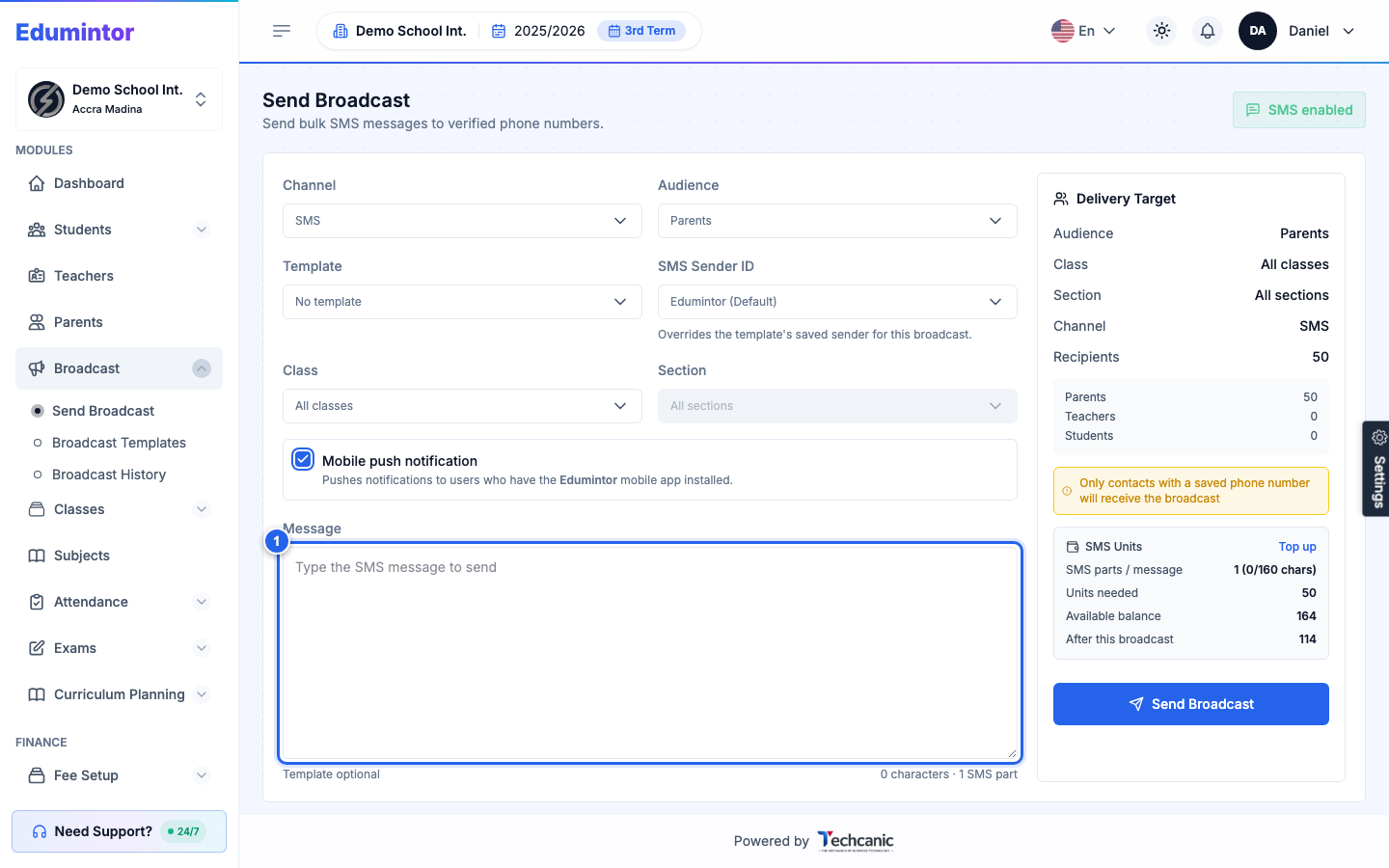
Go to Broadcast → Send Broadcast.
-
Choose your Channel: WhatsApp, SMS, or Voice SMS.
-
Choose your Audience: Parents, Teachers, Students, Parents and Teachers, or everyone.
-
Optionally narrow by Class and Section.
-
Write your Message, or select a saved Template.
-
Review the Delivery Target panel on the right — it shows exactly how many recipients will receive the message and your remaining SMS/WhatsApp unit balance.
-
Click Send Broadcast.
💡 Tip — Sends are queued and processed in the background, so you can leave the page. Check Broadcast → Broadcast History for delivery status per recipient (Pending, Sent, Failed, Skipped).