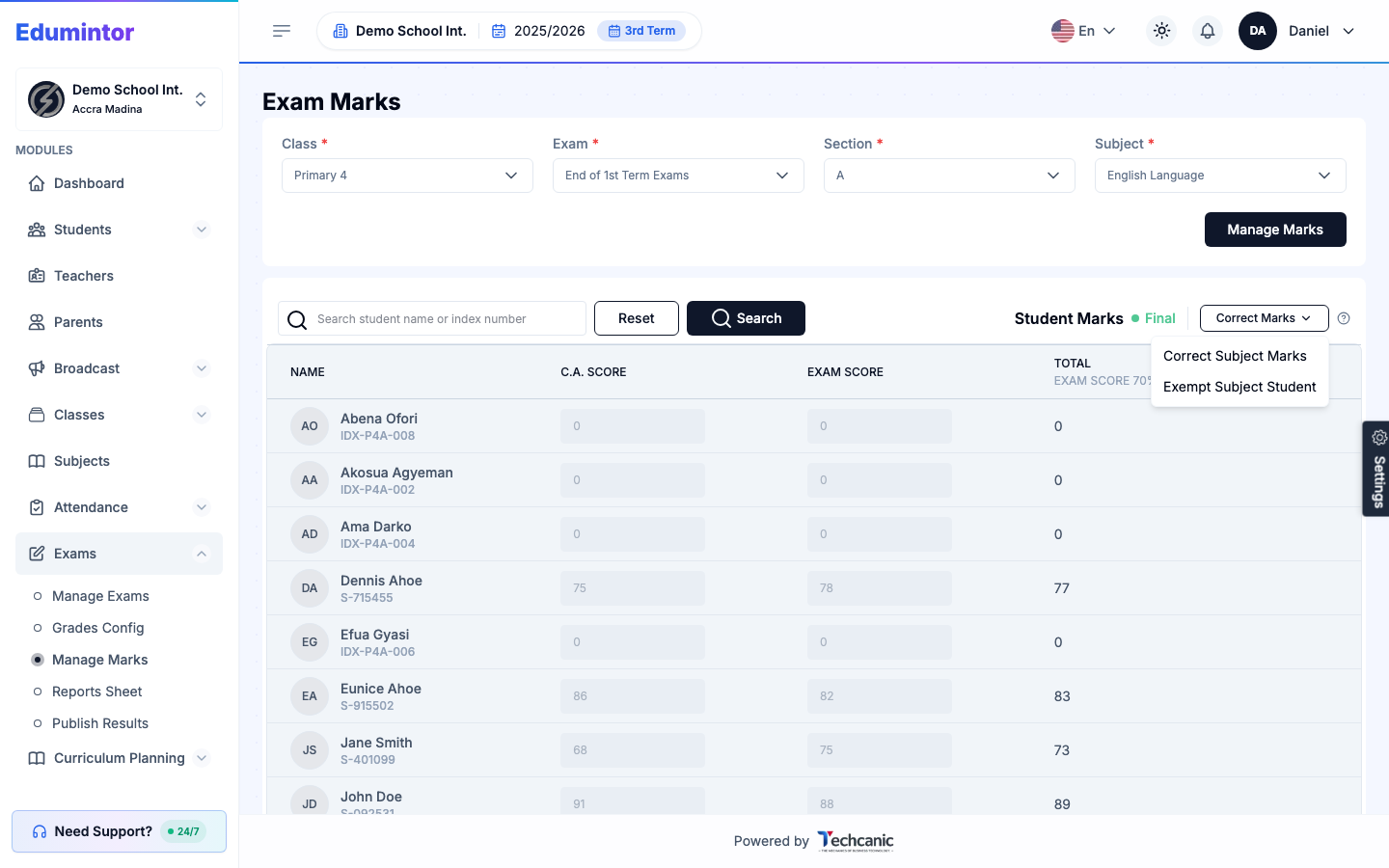
A marksheet that's already Final is locked from normal editing, but corrections are still possible with a reason on record.
-
Go to Exams → Manage Marks and load the marksheet (see Entering Marks).
-
Click Correct Marks, then choose Correct Subject Marks.
-
Update the affected student(s)' scores.
-
Click Save Correction, then enter a Reason for correction (e.g. "Transcription error: exam score was entered as 62 instead of 82").
-
Click Save Correction again to confirm.
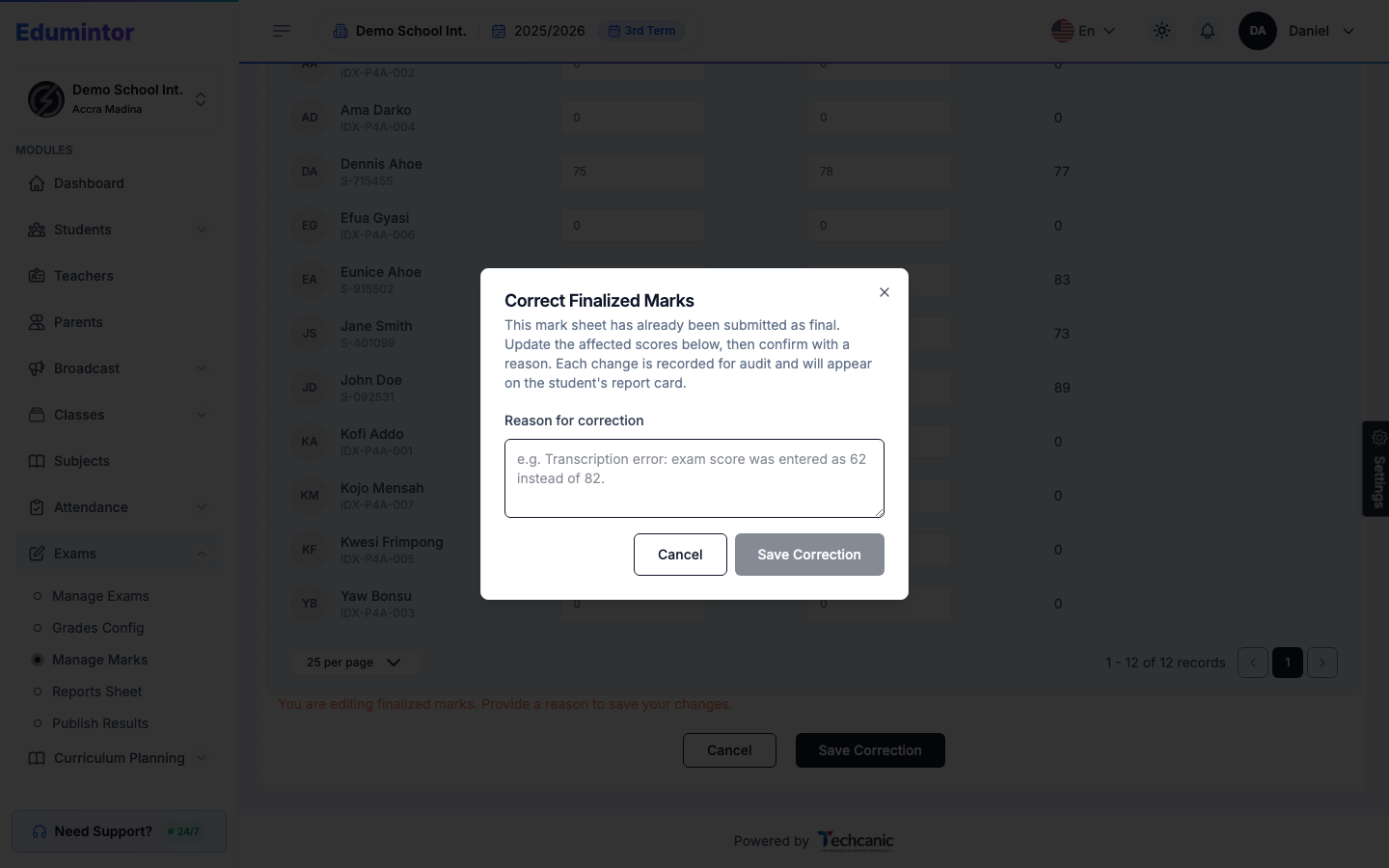
⚠️ Note — Every correction is recorded for audit and will appear on the student's report card, so this isn't a way to quietly edit a final mark — it's for fixing genuine mistakes, with a paper trail.