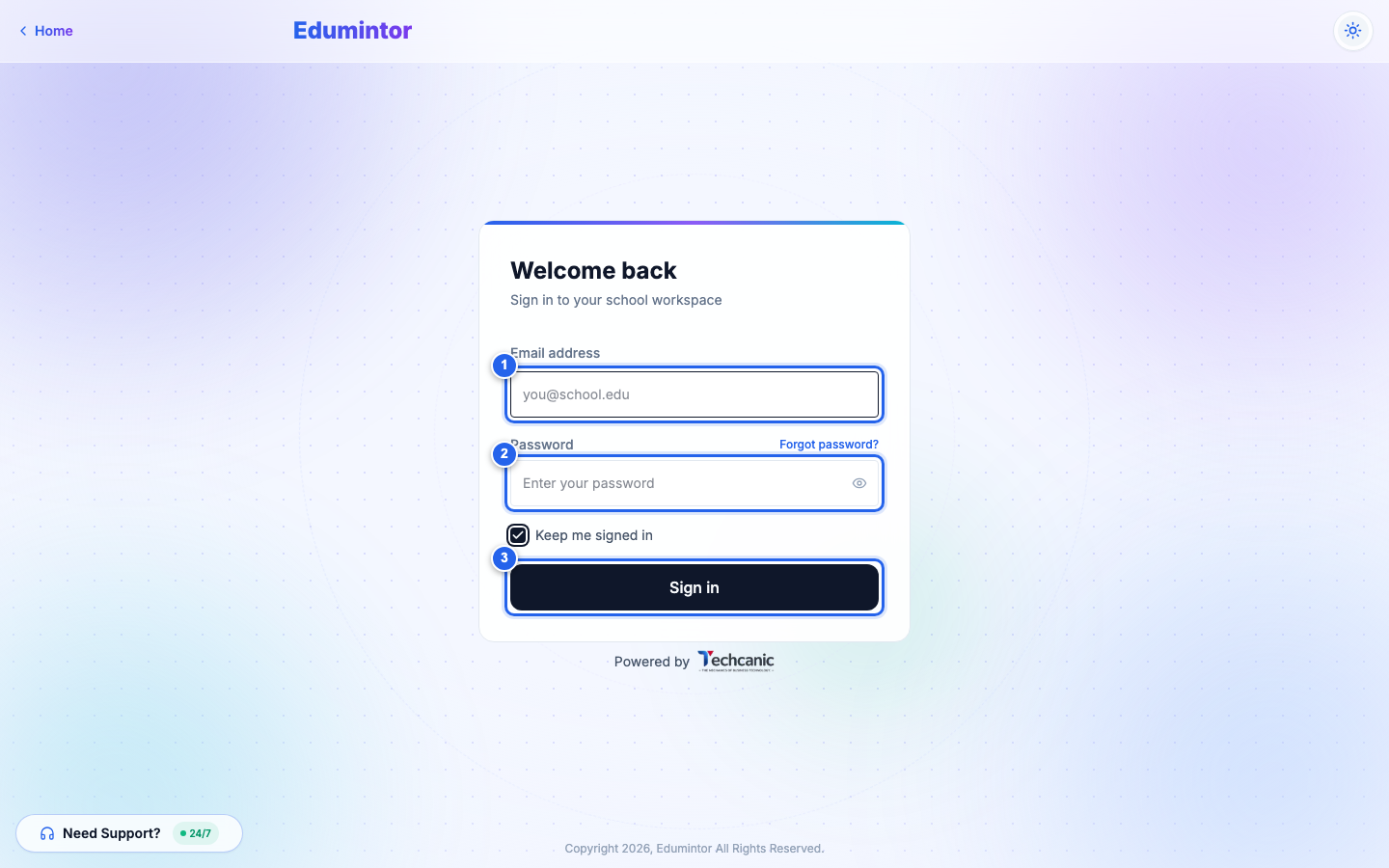
Edumintor uses one login screen for everyone — Admins, Teachers, and Parents all sign in the same way. The app automatically shows you the right dashboard once it knows your role.
- Go to your school's Edumintor sign-in page.
- Enter your email address.
- Enter your password.
- Optionally, check Keep me signed in to stay logged in on this device.
- Click Sign in.
⚠️ Note — If your school requires a parent access code, Parents will see one extra verification step after this (see The Parent Access Code). Admins and Teachers never see this step.