If a parent was added without a login (or hasn't set one up yet), you can trigger their setup email directly from their record:
-
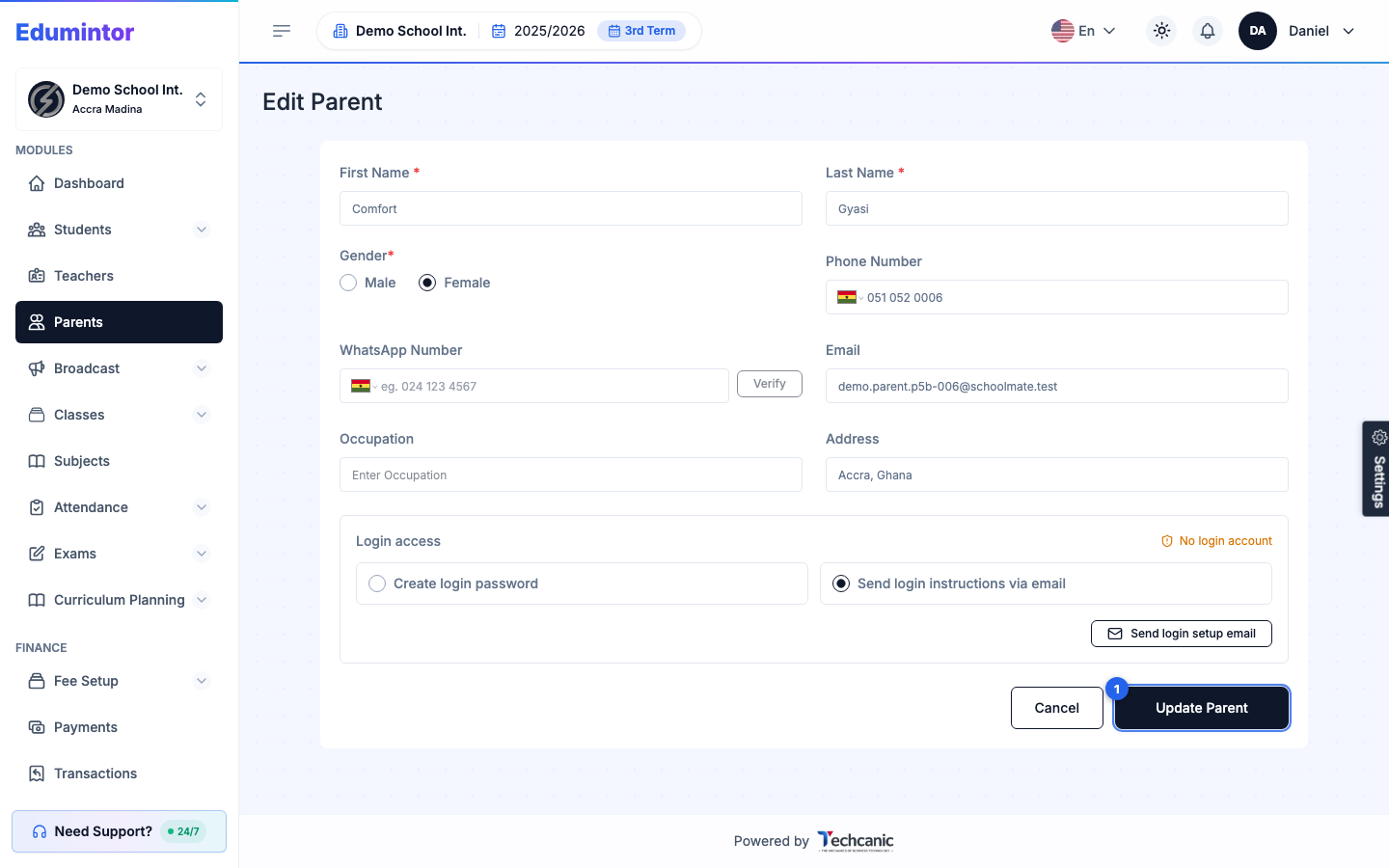
Go to Parents, find the parent's row, open the ⋮ menu, and choose Edit.
-
If the parent has no login account, a No login account notice appears next to Login access, along with a Send login setup email button.
-
Click Send login setup email.
For resetting the password of a parent who already has a login, use Bulk-Resetting Parent Passwords instead.