Go to Automations to configure automatic messaging and report emails across four tabs:
- Attendance Triggers — fires when a teacher finalizes an attendance session (steps in Automatic Parent Notifications).
- Fee Reminders — checks invoices on a schedule and sends reminders.
- Payment Receipts — fires automatically right after a successful payment is recorded.
- Scheduled Reports — emails a recurring PDF report to chosen admin roles, instead of messaging parents/students.
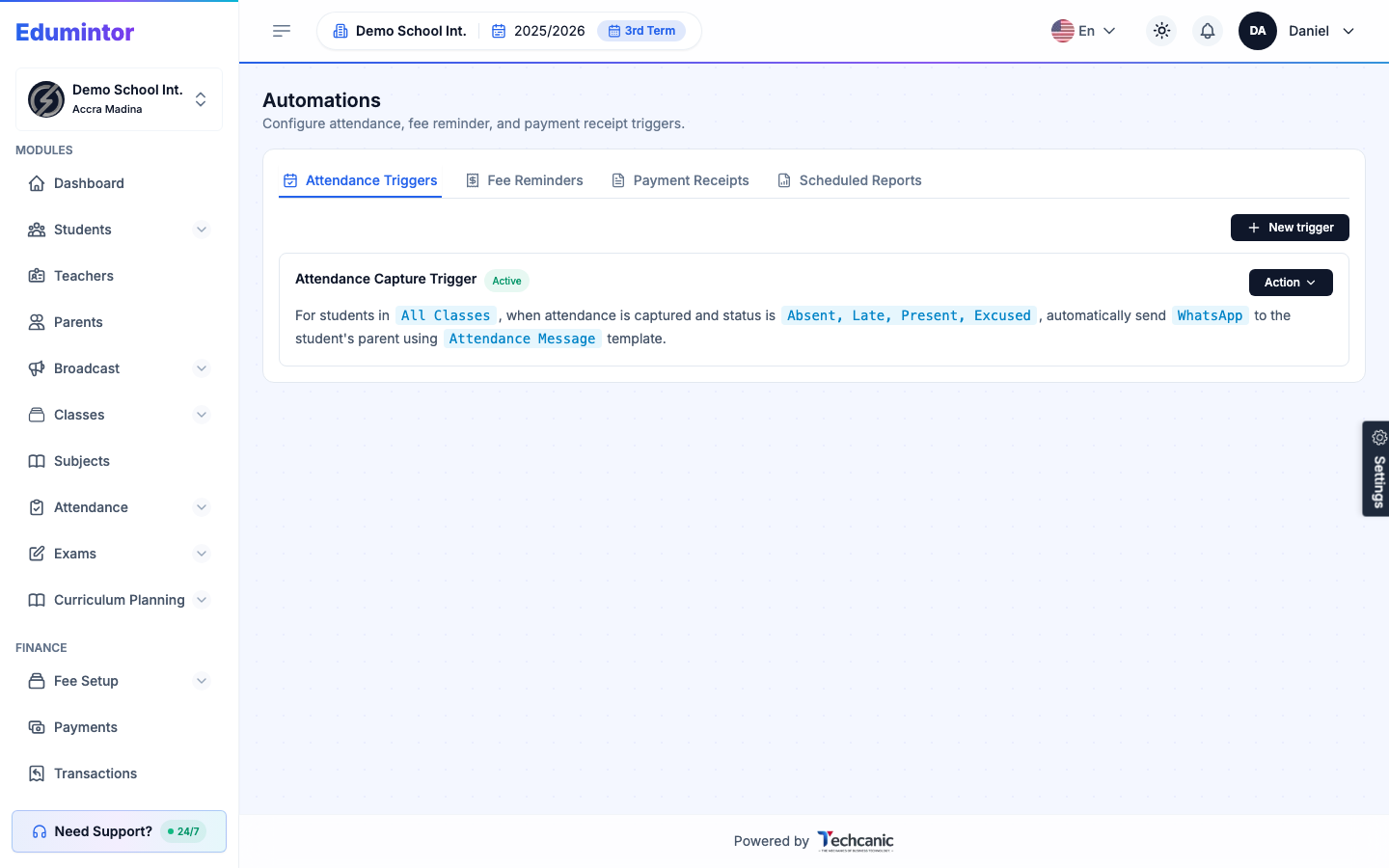
To create a Fee Reminder trigger:
-
Open the Fee Reminders tab and click + New reminder.
-
Fill in the fill-in-the-blank sentence: which classes it applies to, the invoice condition(s) that fire it (e.g. Due in 3 days or Overdue — you can select more than one), the channel (WhatsApp or SMS), the time of day to send, the recipients (parents, students, or both), and a template.
-
If you selected Overdue, also set how often it repeats (e.g. every 7 days) so a debt doesn't get reminded about daily forever.
-
Optionally set a Minimum Outstanding Balance to Remind — invoices with a smaller balance than this are skipped. Leave it at 0 to remind on any unpaid invoice.
-
Click Save.
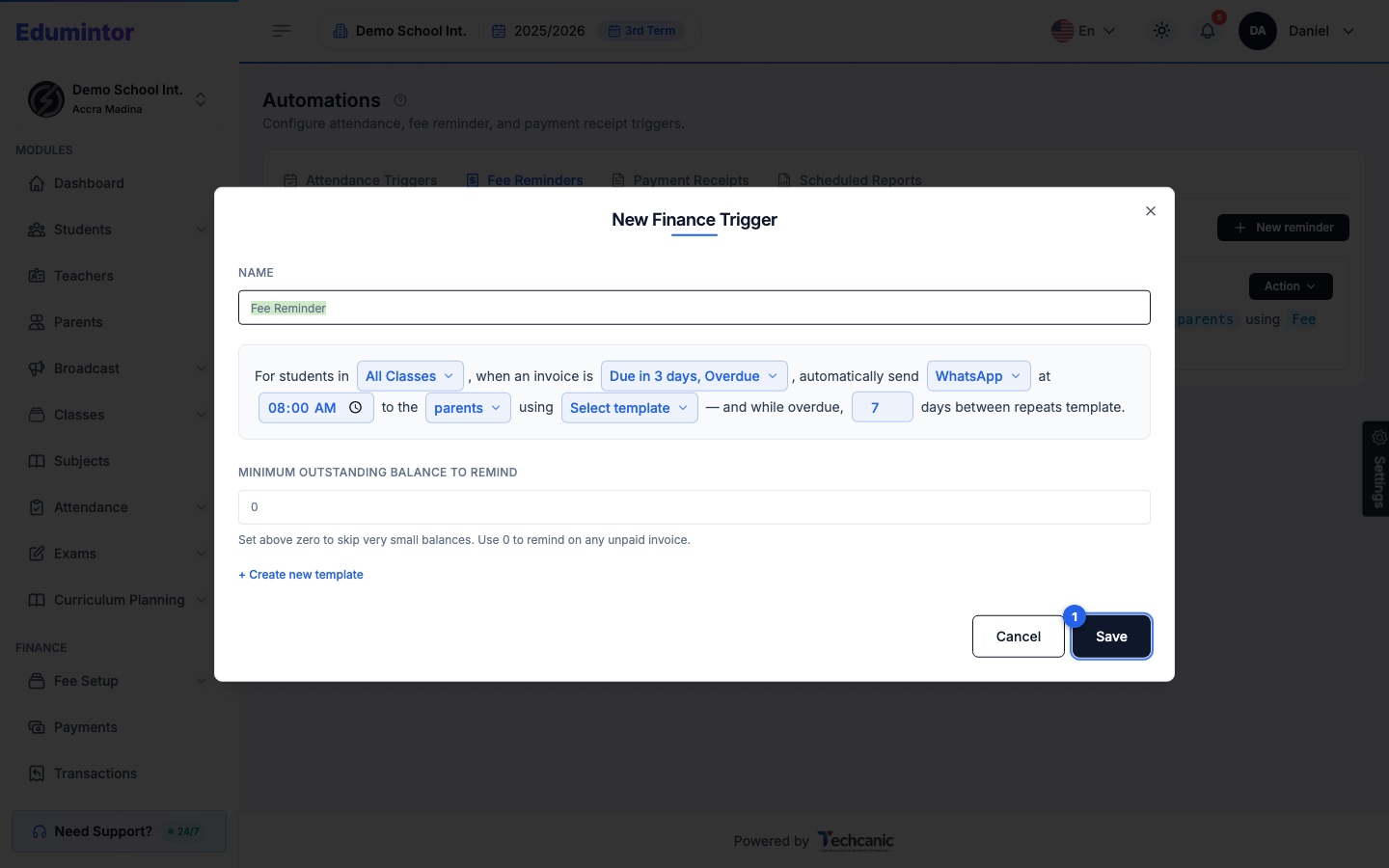
To create a Payment Receipt trigger:
-
Open the Payment Receipts tab and click + New receipt trigger.
-
Fill in the sentence: which classes it applies to, the channel, the recipients, and a template.
-
Optionally set a Minimum Payment Amount to Send a Receipt — payments smaller than this are skipped. Leave it at 0 to send a receipt for every successful payment.
-
Click Save.
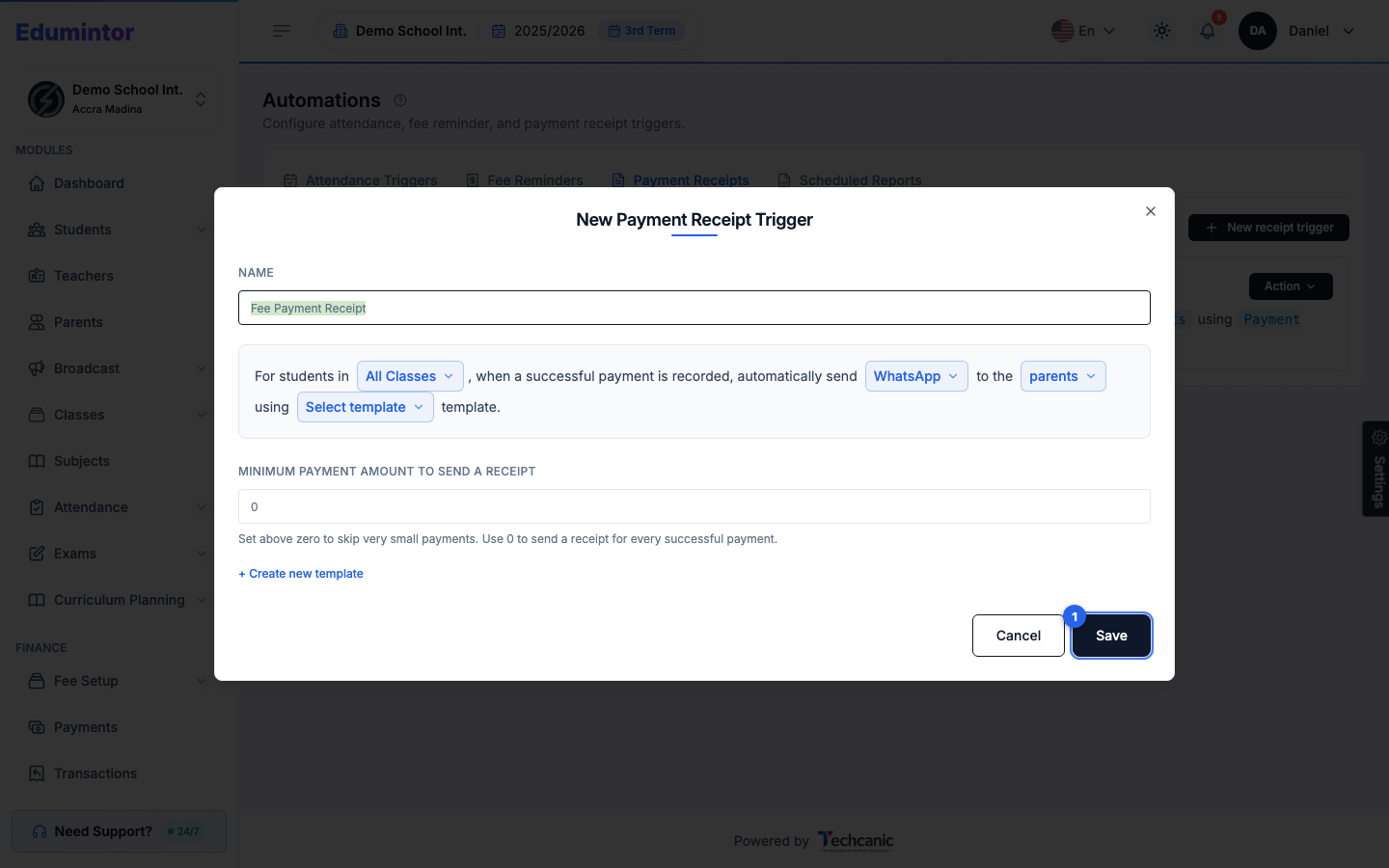
To create a Scheduled Report:
-
Open the Scheduled Reports tab and click + New report schedule.
-
Fill in the sentence: which report categories to cover (e.g. Enrollment & Students, Attendance, Finance, Academics & Staff), how often (Daily, Weekly, Monthly, etc.), what time, and which admin roles should receive it.
-
Click Save.
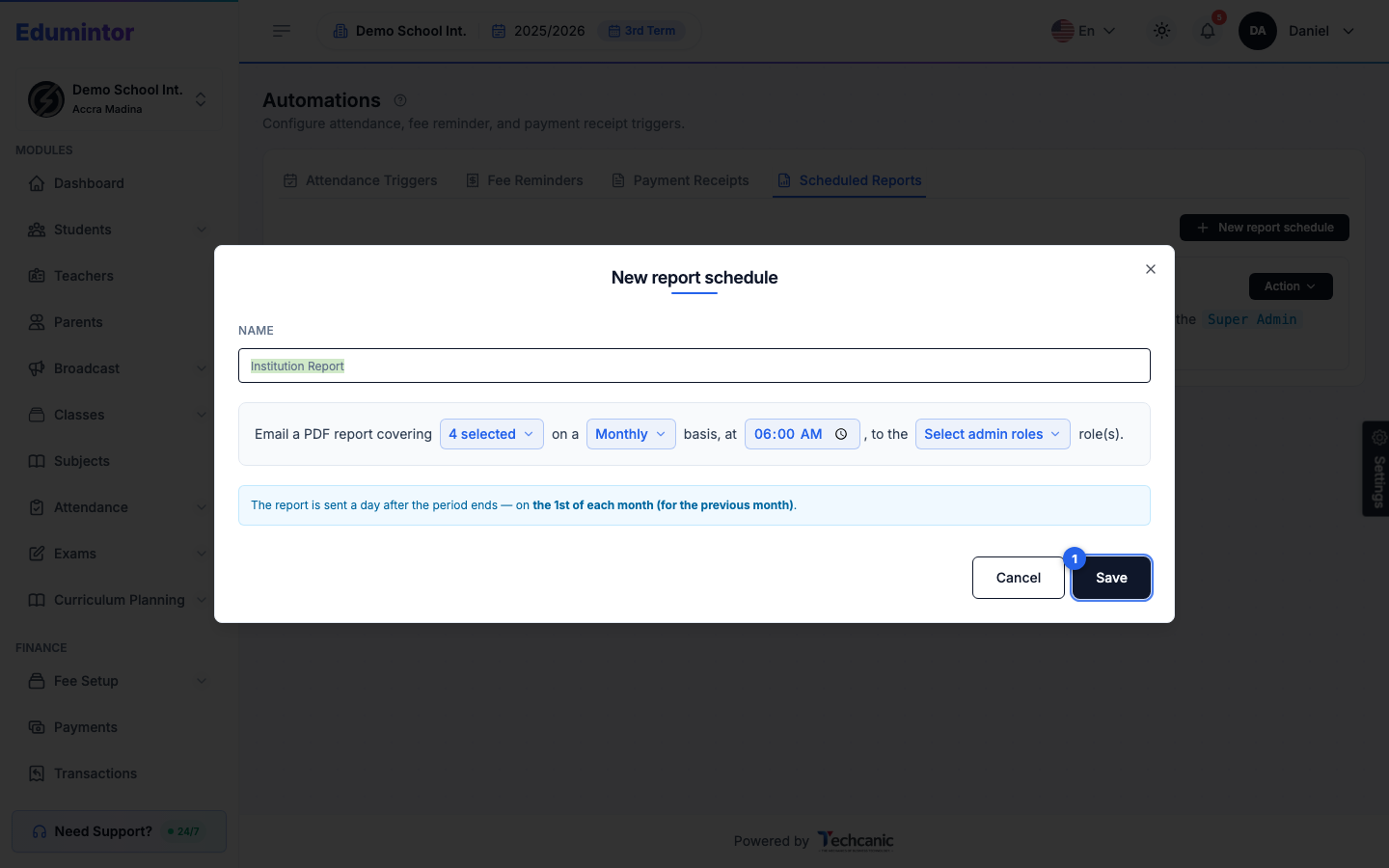
⚠️ Note — A scheduled report is emailed a day after its period ends (e.g. a Monthly report sends on the 1st, covering the previous month) — not at the exact moment the period closes.
Attendance Triggers, Fee Reminders, and Payment Receipts all reuse the same broadcast delivery system, history, and prepaid unit pool as a manual Send Broadcast. Scheduled Reports is different — it emails a PDF report directly to staff instead of sending a WhatsApp/SMS message, so it doesn't draw from your broadcast credit.