-
Go to Classes → Manage Classes.
-
Click + Add Class.
-
Enter the Class Name and its Ranking (controls sort order — see Fixing Class Display Order).
-
Optionally add a Description. The class is created in the branch you're currently working in — switch branches from the sidebar first if you need it elsewhere.
-
Under Assign Subjects, check every subject this class will study.
-
Click Create Class.
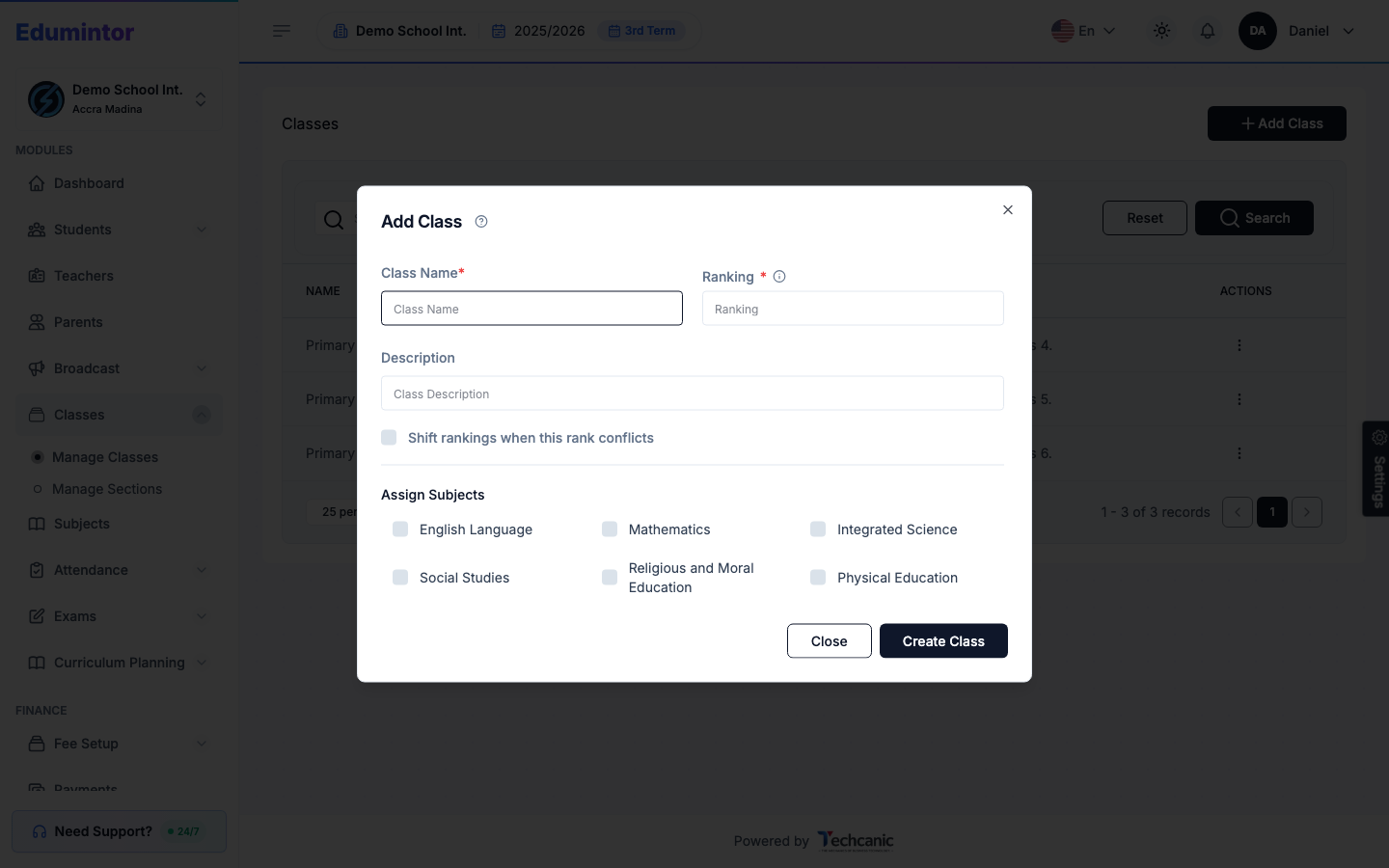
💡 Tip — If the ranking you enter conflicts with another class's rank, check Shift rankings when this rank conflicts to have Edumintor reorder the others automatically instead of rejecting the save.
Once the class exists, add its sections from Adding a Section — each section (e.g. "A", "B") holds its own main teacher, subject teachers, and students.