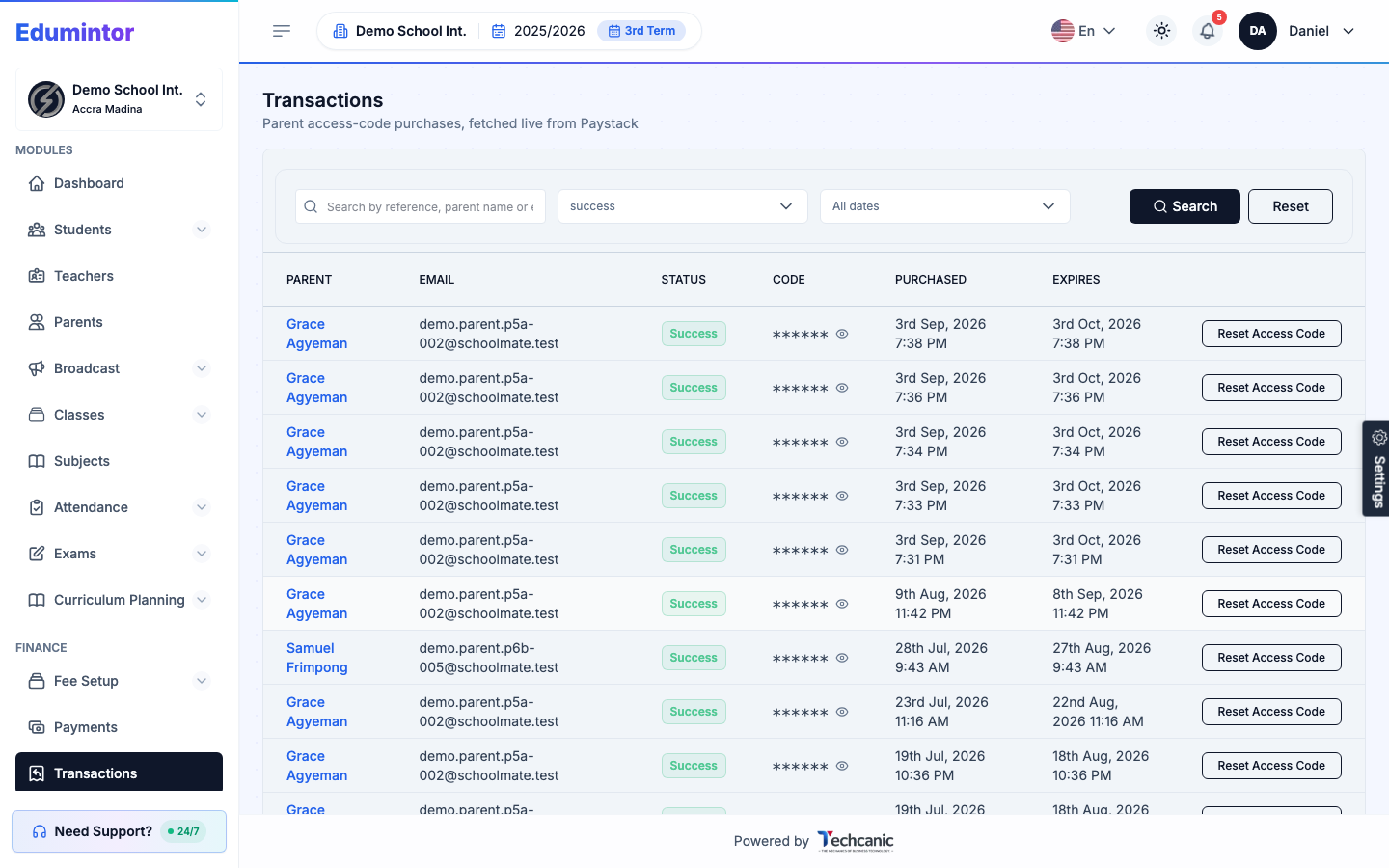
If your school has the parent access code feature turned on, parents buy their code through a Paystack checkout. Go to Finance → Transactions to see every purchase, fetched live from Paystack.
-
Click a Search field to look up a transaction by reference, parent name, or email, or filter by status and date.
-
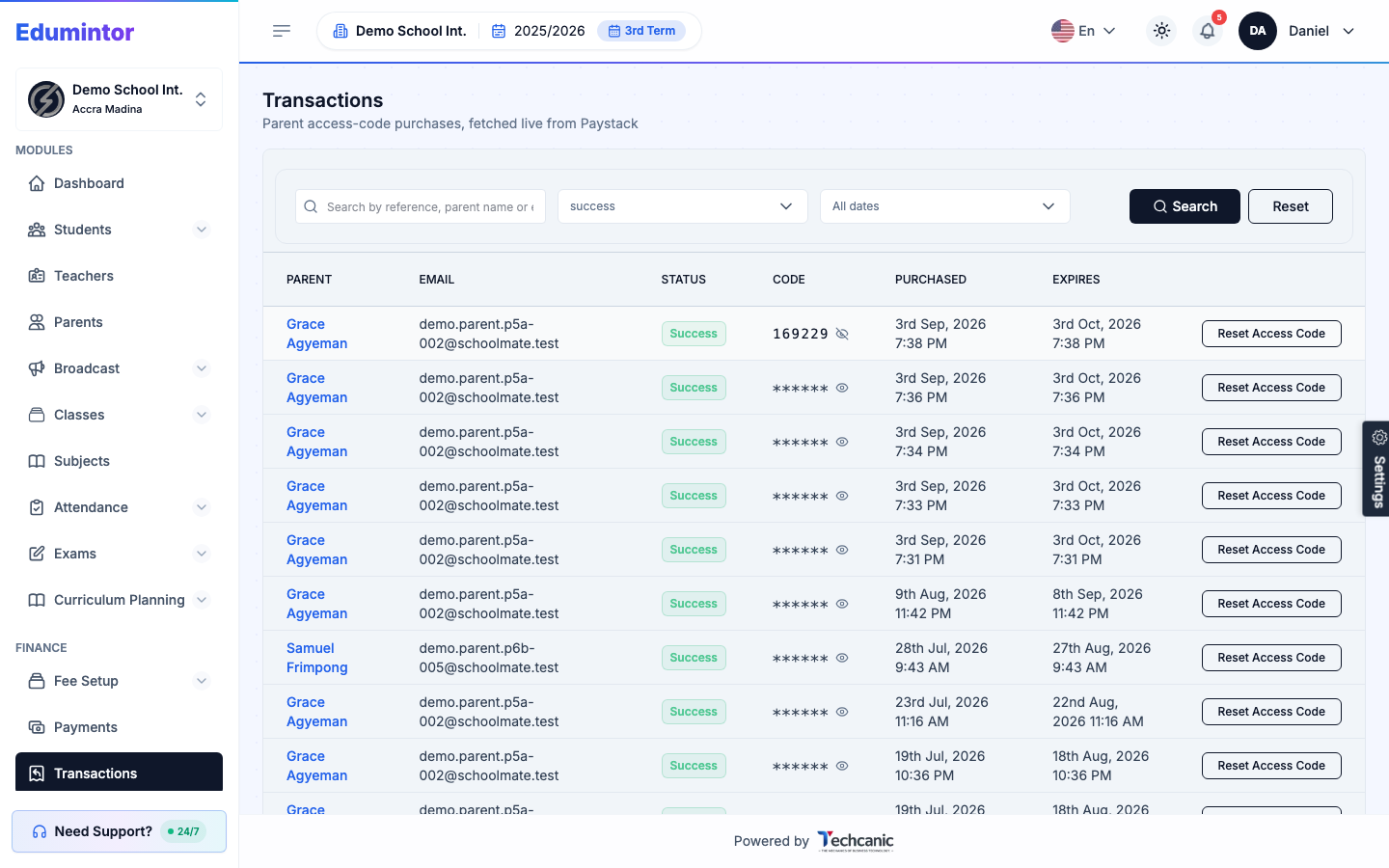
Click the eye icon next to a Code to reveal or hide it.
-
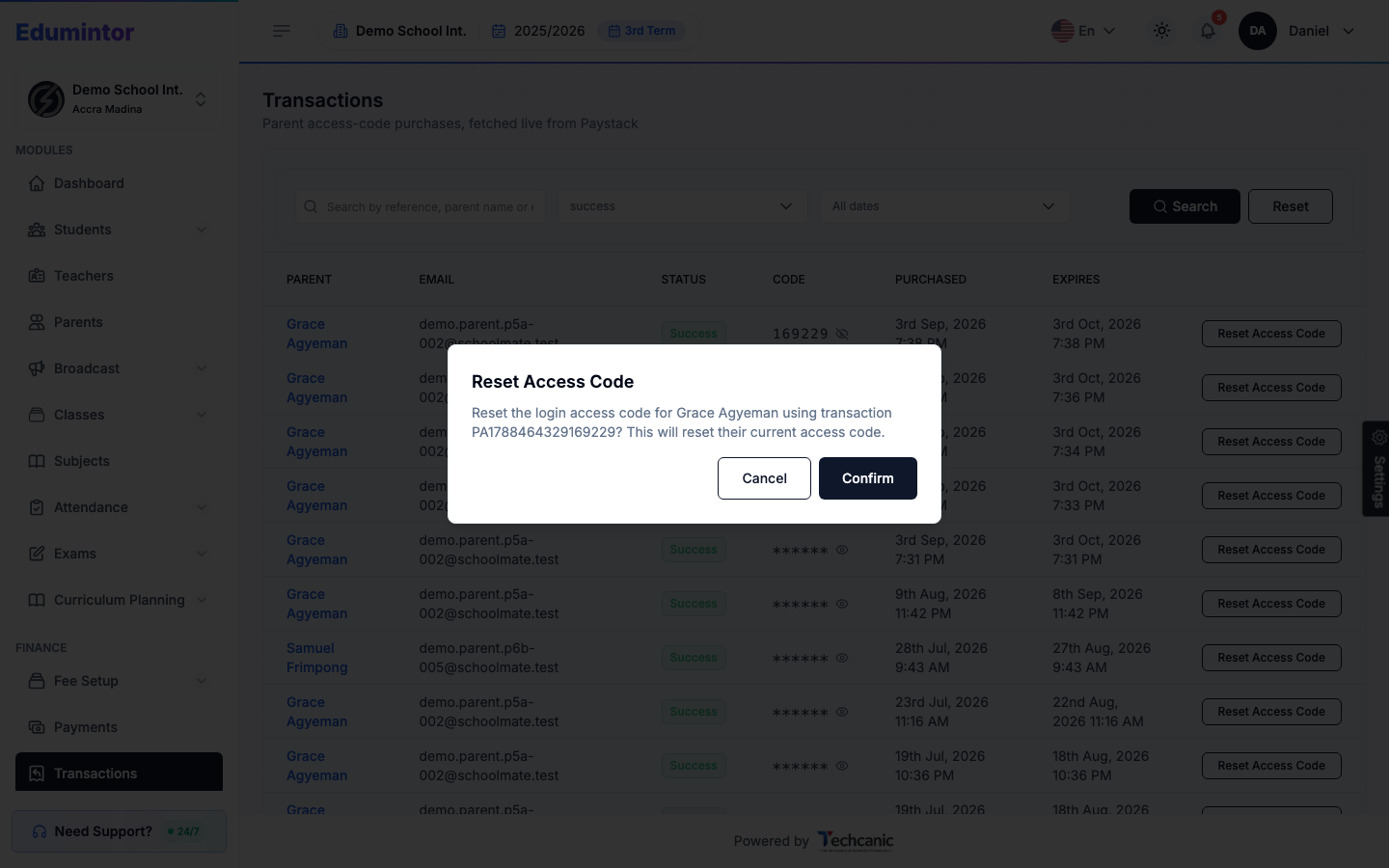
To put a purchase back on a parent's account (e.g. they paid but never saw their code), click Reset Access Code on that row, then Confirm.
-
Click the eye icon on that same row to reveal the code and give it to the parent. The code stays the same — it belongs to that payment — and its validity period starts again from today.
⚠️ Note — A parent has one active code at a time. If they've bought more than one, resetting replaces their current code with the one from the row you picked, so use their most recent successful payment. This list is read live from Paystack rather than stored locally, so a very wide date range may return only a partial match — narrow the range if you don't see what you're looking for.
When a parent paid but didn't get their code
The code is shown to the parent on screen right after payment. It is never emailed, and it's only texted if you've turned on Send access code to parents by SMS under App Settings → Institution. If the parent closed the payment page too early, they won't have seen it.
- Ask the parent for their name, the email they sign in with, or the payment reference on their Paystack receipt.
- Search for their payment here and check that its status is successful. Paystack is the source for this list, so the payment appears even if it never reached the parent's account.
- Click Reset Access Code, then Confirm, so the code is definitely on their account.
- Reveal the code with the eye icon and give it to the parent.
Tell the parent not to pay again — a second payment is charged separately. If you can't find a successful payment, the payment didn't go through and the parent should check with their bank or mobile money provider before trying again.